
Features / Cloud backup and restore
Cloud backup and restore
Cloud backup copies your Fold X data to your own private space in your Fold X account once a day. You choose each kind of data with its own switch. Restore brings it back in stages and only downloads what your phone is missing.
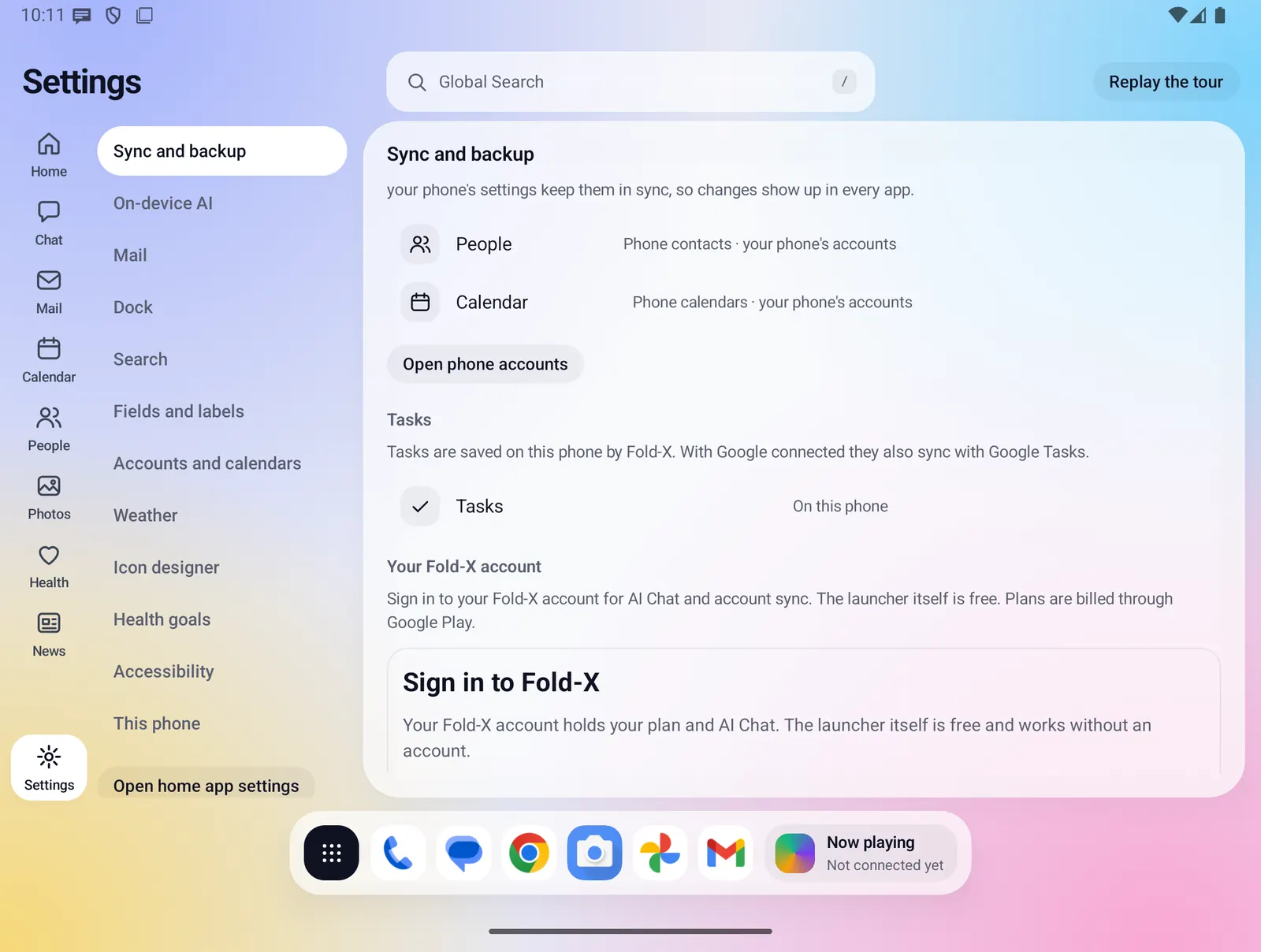
- Where you find it
- Settings, Sync and backup, Cloud backup
- How it works
- On your phone, sending to the Fold X server, which stores it in Cloudflare R2
- What you need
- A Fold X account and an active plan or trial. Phone permissions for the categories that read your data
- Your data
- Only the categories you switch on leave the phone. Not end-to-end encrypted
Turning it on
Open Settings, then Sync and backup. The Cloud backup block has a summary line and a Turn on button. If you are not signed in, or your plan is not active, the button opens the sign-in and plan screen instead.
- Back up now runs a backup straight away. It also turns cloud backup on after you sign in.
- The line under it says Last backup with the date and time, or Never. While a backup runs it shows the progress.
- After that, backup runs by itself once a day, only on Wi-Fi and only while the phone is charging.
- The first time you turn it on, a sheet asks about the categories that need your agreement. Every item on it starts unticked. Save keeps your choice and None says no to all of them.
A switch for each kind of data
When backup is on, each category has its own row with a check circle that works as its switch. The right side of the row shows the size of the last backup, or one of these notes:
- Needs permission: the category is on, but the phone permission it reads with is missing. Tap to allow it (photos, videos, contacts, calendar).
- Asks first: a category that needs your agreement and has not been answered yet. Tap to open the consent sheet.
- Not in the Play build: text messages and the call log, which the Google Play version does not back up.
- Not measured yet: shown before the first backup.
Turning a category off stops new copies. What is already in your space stays there.
Everything that can be backed up
On by default
- Your Fold X settings and icon style.
- The dock (open and closed screen apps) and the quick note.
- App categories, your app drawer layout and pinned apps, and a list of the apps you installed (name, package and Play link).
- News sources and the stories you saved in News.
- Tasks and your Weather settings.
- Health goals. Not health readings; those are separate and ask first.
- Chats, with the pictures and files attached to them.
- People groups, reminders and labels, the files you added to a contact, and photo tags.
- What Photos recognized in your pictures and the captions you saved, photo places, and your albums, Archive, Locked and favorites lists.
- Photos and videos from your library, as original files. Needs photo and video access.
- Files in Downloads and Documents, your audio files and recordings (not ringtones, notification or alarm sounds), and screenshots. Screenshots are skipped while Photos backup is on, because they are already in it.
- Your home and lock screen wallpapers, but only where Android lets an app read them. Android 13 and later usually blocks this, and then nothing is sent.
Asks first, off until you agree
- Contacts on your phone, with their photos.
- Calendar: calendars stored on the phone. Google, Microsoft and Exchange calendars are skipped, because those already live in your account.
- Health readings that the Health window reads from Health Connect, only the types you allowed Fold X to read.
- Kept mail: the copy of your mail that Fold X keeps on the phone.
- Text messages and call log: only in test builds installed outside Google Play. The Play version never lists or sends them.
Never backed up
- Your sign-in token and every other token, key or password.
- Caches such as the weather, news and Home summary caches.
- Settings that only make sense on one phone.
- The on-device AI models, which are several GB. A new phone downloads them again.
How a backup runs
- Only what changed since the last backup is sent. Small files are compared by their content, larger ones by size.
- Large files go up in parts. If the connection drops or the phone restarts, the upload continues after the last finished part.
- When space is short, small settings files go first, then chats and People files, then photos, then videos, then other files.
- Space used shows how much of your space the backup takes. It updates on every run.
- When your space is full the backup stops and a Space full banner appears with See plans. It clears by itself when there is room again.
- If there is no connection the backup says so. Any other problem shows the reason, and Fold X tries again later.
30-day trash and saved versions
- Deleting a photo, video or file on your phone does not delete it from your backup straight away. It goes into a cloud trash and is removed after 30 days.
- The Restore screen lists the trash, newest first, with Undo. Undo downloads the file and puts it back on your phone.
- A file that comes back on the phone leaves the trash. A new phone with an empty library, a category you switched off, or a permission you took away never sends anything to the trash.
- Before a settings-like file is replaced, the old copy is kept. The last 3 copies of each one are saved, and they count toward your space. There is no screen to pick an older copy yet.
Staged restore
Settings, Sync and backup, Restore from backup opens the Restore screen. It lists what is in your backup, grouped in the order it comes back, with the number of items and their size. It is safe to run again: nothing is deleted or doubled.
- Settings and layout, then Chats and People. One button brings both back. It checks the permissions each part needs first and asks for them. Finished parts show Done, so after a stop the button reads Continue.
- Your choice: contacts, calendar, health readings, kept mail and wallpaper. Each has its own Restore button and asks you to confirm. Contacts ask where to put them: on the phone only, or one of the accounts on your phone. Calendar asks for a new local Fold X calendar or one of your writable calendars. Nothing is picked for you. Contacts and events already on the phone are not added twice, and nothing is changed in Google or Microsoft calendars. Wallpaper is set only after you confirm.
- Photos, videos and files come back when you ask, because they are big. Restore compares your backup with what is on the phone and downloads only the files that are missing. Photos go to Pictures/Fold-X, videos to Movies/Fold-X, and files to their own folder. You see a progress line, then Brought back N, Nothing new to bring back, or how many did not finish and why. Again checks the phone afresh.
- Trash: files you deleted in the last 30 days, with Undo. Hidden when empty.
- Install N apps: the apps from your old phone that are not on this one, each with a Google Play button. When you come back from Play, your saved layout, pinned apps and categories are put on the new apps.
If a permission is still missing, the screen says so, for example "Allow Contacts to bring these back", and that part is not marked Done.
Space
- Fold X plan: 50 GB. Fold X Plus: 200 GB. A trial gets the space of its plan.
- An account with no plan is given 5 GB by the server, but the app locks cloud backup and restore while no plan or trial is active. Nothing is deleted while it is locked.
- Saved versions and the 30-day trash count toward your space.
Limits and what is not built yet
- Backups are not end-to-end encrypted. They travel over HTTPS and are encrypted at rest by the storage provider, but the Fold X server can read them, because it stores and restores them for you.
- Health readings can be backed up but not brought back to Health Connect in this version. The Restore screen says they stay in your backup.
- Text messages can only be written back by the default messages app, and Fold X does not ask to become it. Picture messages are not written back. A restored call log is kept inside Fold X, not in the phone's call log. These apply to test builds only.
- Files that other apps saved outside Downloads, Documents, audio and screenshots are not backed up. Choosing your own folder is not built.
- Contact notes stored in your phone's contacts are synced by Google or Microsoft, not by this backup.
- Copies of your Google or Microsoft data are not part of the backup.
- There is no button to delete only the backup. Deleting your Fold X account removes it.
- Where contacts and events go is chosen each time and not remembered.
This is separate from Android's own device backup to Google, which Fold X also supports and which keeps your mail, sign-in token and AI models out.
Privacy
Cloud backup is optional and off until you turn it on. Your data goes to your own folder in Cloudflare R2 storage through the Fold X server, which holds the storage keys so your phone does not. Contacts, calendar, health readings and kept mail are sent only after you agree on the consent sheet. Health readings leave the phone only through this opt-in backup. Fold X does not give medical advice. See Data & permissions for retention and deletion.