
Features / On-device AI
On-device AI
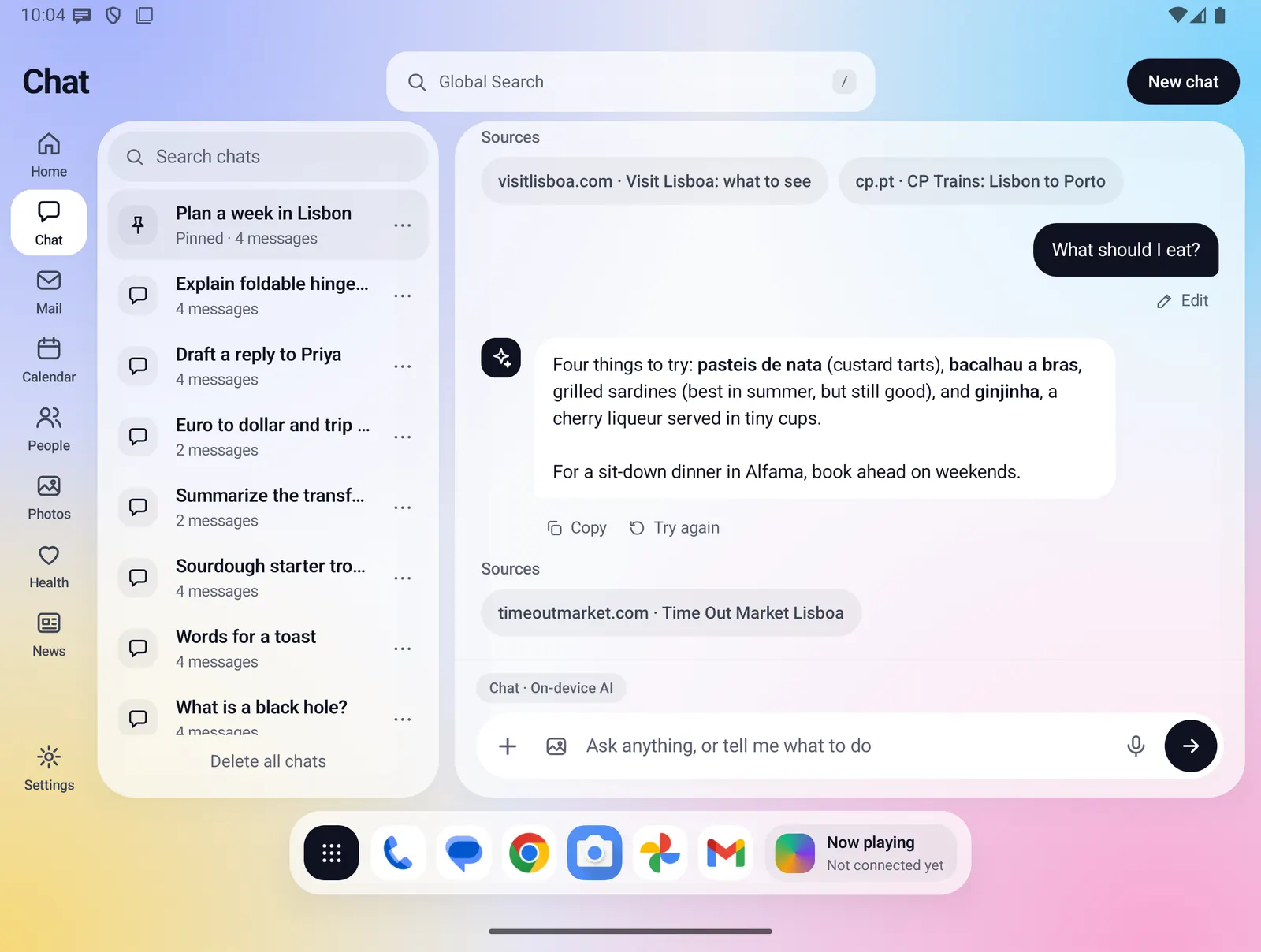
Fold X downloads an AI model to your phone and runs it there. It answers Chat, reads your calendar, tasks and mail when you ask, summarizes a message, captions a photo and reads a scanned page. Your chats, photos and data go to the model on the phone, not to a server.
In development Built and covered by the app's tests, but not yet checked on a real phone. Speed and quality on your Fold are not measured yet.
- Where you find it
- Chat, Mail, Photos, People and Home, on the open and closed screens
- How it works
- On your phone (Gemma 4, or Qwen 3.5 if you pick it). Web search and image creation go through the Fold X server
- What you need
- A Fold X account and a plan or trial to download the model, Wi-Fi for the download (by default) and a phone with enough memory
- Your data
- Chats, photos, files, mail and what the tools read stay on the phone. Only a web search query or an image prompt leaves it
Chat that runs on your phone
When you send a message in Chat, the model on your phone writes the answer. The text appears word by word, and nothing you type is sent to a server to get it.
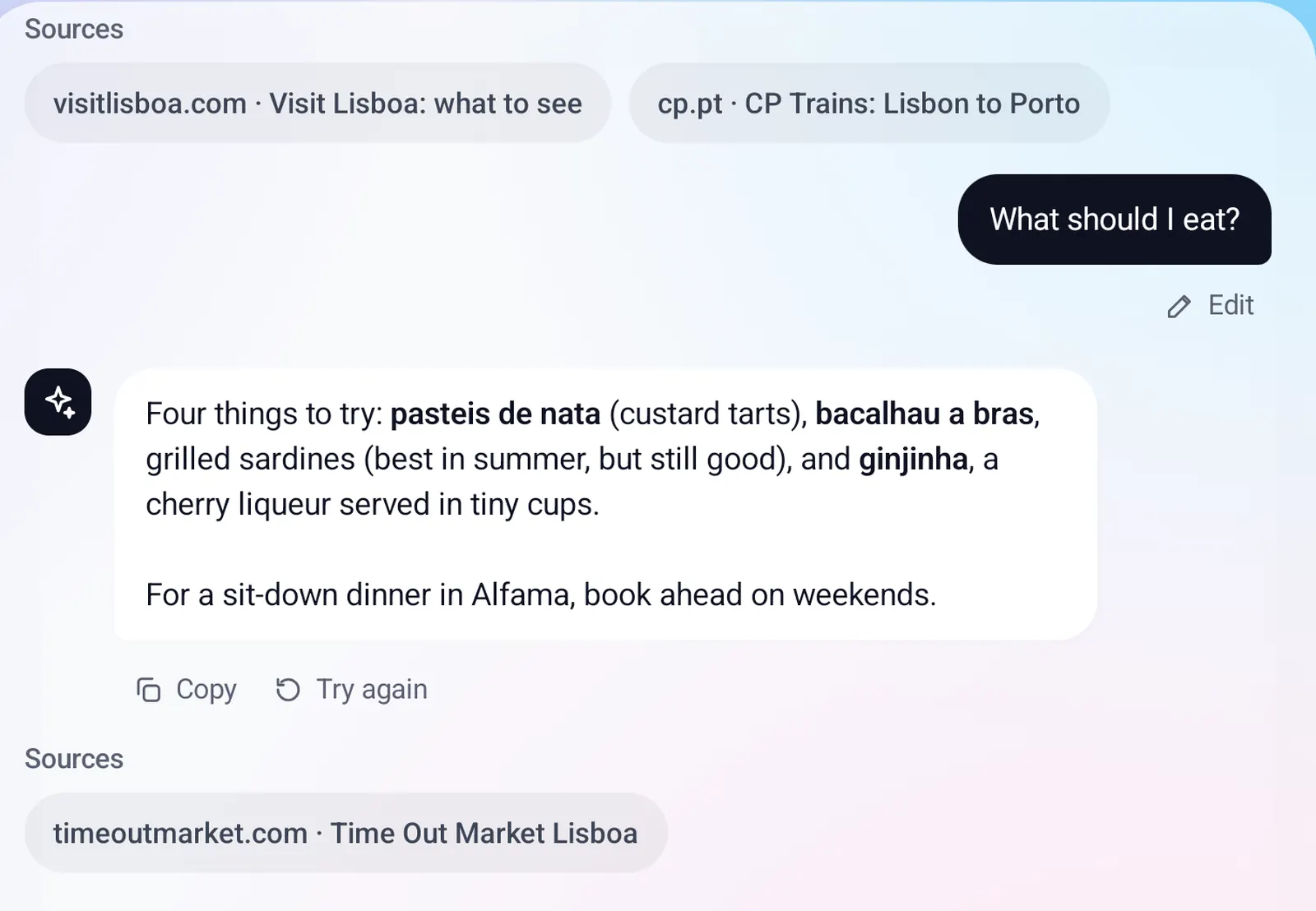
- Stop ends an answer and keeps what was written. Try again, Edit and Copy work as usual.
- Attach photos and the model reads them on the phone, for example a photo of printed text. Text and CSV files are read the same way.
- The first answer after a while takes longer while the model loads. Chat says "Getting the AI model ready" and that the first time takes about ten seconds.
- The model stays ready for 5 minutes after you last use it, then it is freed to save memory.
- In a long chat, the newest messages that fit are given to the model, and it is told that earlier ones are not shown.
Tools: it reads your data and prepares actions
Ask about your day and the model can look things up on the phone, then answer in plain words. It can also prepare changes, but nothing is written until you approve it.
- Reads: your calendar, tasks, contacts, mail kept on the phone, Health Connect (steps, sleep, resting heart rate and weight for the last 8 days), weather for your saved place, and the call log (not in the Google Play version).
- Prepares: a calendar event, a task (with a due date if you give one), a note on a contact and a mail draft. Each shows as a card with Approve, Edit and Cancel. Done cards have Undo for tasks, events and notes.
- A mail draft opens in your phone's mail app. It is never sent for you.
- It can open a Fold X page for you, and search the web when Web is on.
- At most two tools run per message. If a name matches more than one contact, a "Which one?" card asks you.
Everything on-device AI does
Chat
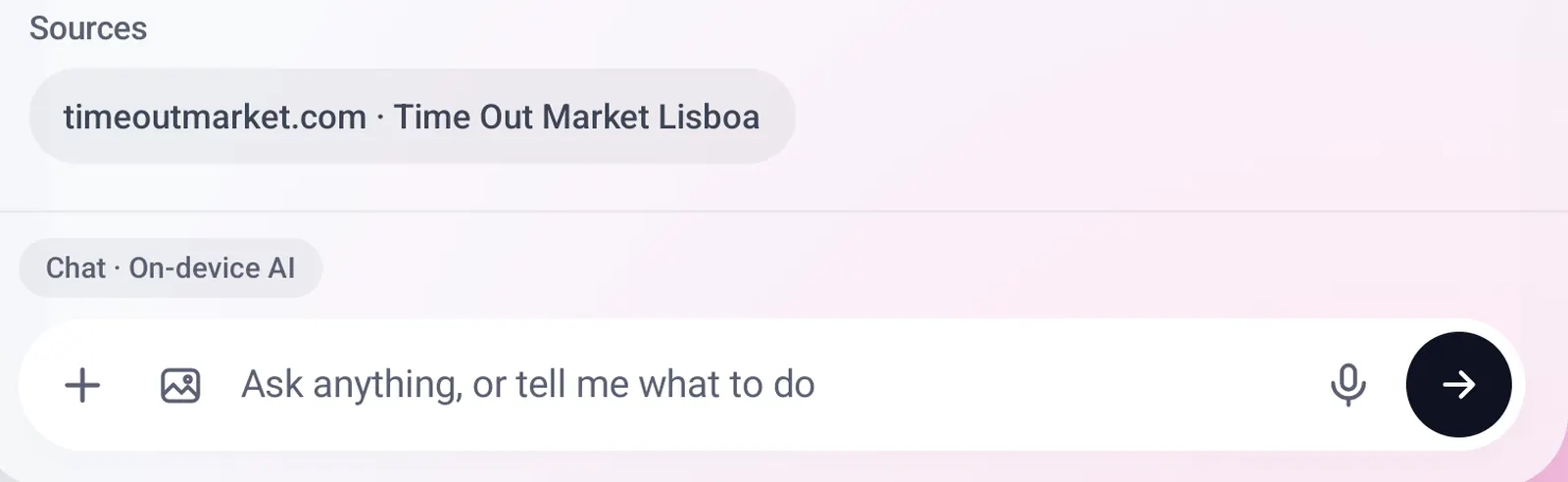
- Answers general questions in saved, searchable chats. The label above the message box names the model in use, or reads "On-device AI".
- "Add a task" and "What are my tasks?" are handled on the phone before the model is asked.
- Every answer starts fresh: nothing is kept inside the model between answers.
- If you leave Fold X for 60 seconds while an answer is being written, it stops, keeps the text and says why.
- Image creation is not done by the on-device model. The photo button, or "generate an image of ...", sends your image prompt to the Fold X server, which uses OpenRouter. It counts against your monthly image allowance, shown as a percent left.
Web search
- The Web on/off switch above the message box decides whether the model may search the web. Off, it never does.
- Only the search words leave the phone. The Fold X server runs the search with Brave Search and returns results. No AI allowance is used.
- The model is told to search generic words only. If a query holds a contact's name, an email address or a phone number, it is held back and a card shows the exact text with Send search and Cancel.
- Every search card shows "Looked up on the web:" with the exact query that was sent, and the source links.
What Chat can read
- Settings > On-device AI has a switch for each source: Mail, Calendar, Contacts, Health, Tasks and notes, Photos tags, and Call log (not in the Google Play version). All are on to start.
- A source you switch off is never offered to the model, and a call to it is refused. The change applies from your next message.
- Private contacts are never read by the tools.
Mail: Summarise and Draft reply
- Summarise in an open message writes 3 to 5 short bullets, plus Date, Amount and Ask lines when the message has them. Copy and Dismiss when it is done.
- Draft reply offers Yes, No, Ask for more time and Custom (your own instruction, up to 300 characters). The draft appears in the normal reply box above the quoted message. You read it, edit it and press Send yourself.
- Only that one message goes to the model: subject, sender, date and body. Long quoted history is trimmed first. Summaries are kept only on screen.
- Both buttons are replaced by a short reason when Mail is switched off under What Chat can read, or when the model is not on the phone.
Photos: Caption
- In the photo viewer, Caption asks the model for one plain sentence about that photo. Stop, Try again and Save. Nothing is kept until you tap Save.
- A saved caption shows in Info, and Photos search matches your words against it. Remove caption deletes it.
- One tap, one photo: there is no automatic or batch captioning, and no captions for videos.
- Caption uses the Photos tags switch under What Chat can read.
People: Scan to contact and Import
- Scan in People captures up to 5 pages with Google's document scanner, reads the printed text on the phone, and has the model pick out names, numbers, dates and notes for a contact.
- A value is kept only if it is written in the scanned text, and each one shows the line it came from. You review everything and nothing is saved before Approve.
- Handwriting is read poorly. Keeping the scanned pages with the contact is off unless you tick it.
- Import takes pasted text or a web address. Simple pattern matching runs first, then the model suggests up to 20 contacts from the first 6,000 characters, reviewed one at a time with Approve, Edit and Skip.
- For a web address, your phone fetches the page directly (https only). The text and the AI stay on the phone.
Home: nicer wording
- An optional switch, "Nicer wording for the Home summary" (off by default), lets the model rewrite the Mail, Calls and News lines as a few friendly sentences.
- The rewrite is used only if every number, time, name and day in it matches the real facts. Otherwise the normal rule-based text stays. Health and Weather lines always use the rules.
Offline dictation In development
- An optional switch, "Offline dictation (uses the model)", is off by default. With it on, Chat's microphone records on the phone (up to 60 seconds) and Gemma 4 writes your words into the message box for you to edit.
- The recording is kept in memory only, never saved or sent. It needs the microphone permission, asked on first use.
- It uses extra memory. With Qwen, with no model, or if anything fails, Android's own speech screen opens instead.
The models and the download
- Chat models: Gemma 4 E4B on phones with more memory, Gemma 4 E2B on smaller ones, and Qwen 3.5 4B as an extra choice. Gemma runs on Google's LiteRT-LM, using the graphics chip first and the processor if that fails. Qwen runs on llama.cpp on the processor only and needs about 3.3 GB of free memory.
- Fold X checks for model updates once a day, and when Chat opens if the last check is over a day old. Downloads use Wi-Fi unless you allow mobile data, and resume where they stopped.
- Each model list is signed and each file is checked before use, then the model is test-loaded. An old model is removed only after its replacement works.
- Fold X always leaves 512 MB of storage free. If space is short, only the default model downloads.
- Settings > On-device AI shows the active model, its version, its size on the phone and the last check, with Check now.
- Switches: "Update models automatically" (on), "Download over mobile data" (off) and "Beta models" (off).
- Each model has its own row: Download, Cancel, Delete and "Use this model".
Limits and what is not built yet
- None of this has been checked on a real phone yet. Speed, memory use and answer quality on a Fold are not measured.
- A phone without enough memory shows "This phone can't run on-device AI".
- Answers stop when Fold X is in the background. There is no background generation.
- The daily download can be paused by Android. It then continues the next time Fold X runs. There is no download notification.
- Search by meaning is not working yet. The setting exists, but this version cannot run its model, so Global Search uses keywords only.
- Not built: adding records or files to a contact from Chat, starting a call, voice replies, PDF, Word or audio attachments, editing a created image, and mail drafts in Fold X's own Mail compose.
- Signing out does not delete downloaded models.
- The model can miss or misread things. Read summaries, drafts and scanned values before you rely on them.
Privacy
Your chats, attached photos and files, mail, calendar, contacts, health data, call log, photo captions, scans and recordings are processed by the model on your phone and are not sent to a server for AI. Only two things leave the phone: a web search query you send with Web on, which goes to Brave Search through the Fold X server, and an image prompt, which goes to OpenRouter through the Fold X server. The phone also downloads the models and short prompt wording from Fold X, without sending your data. Models are never included in any backup. See Data & permissions.