Features / Devices and layouts
Devices and layouts
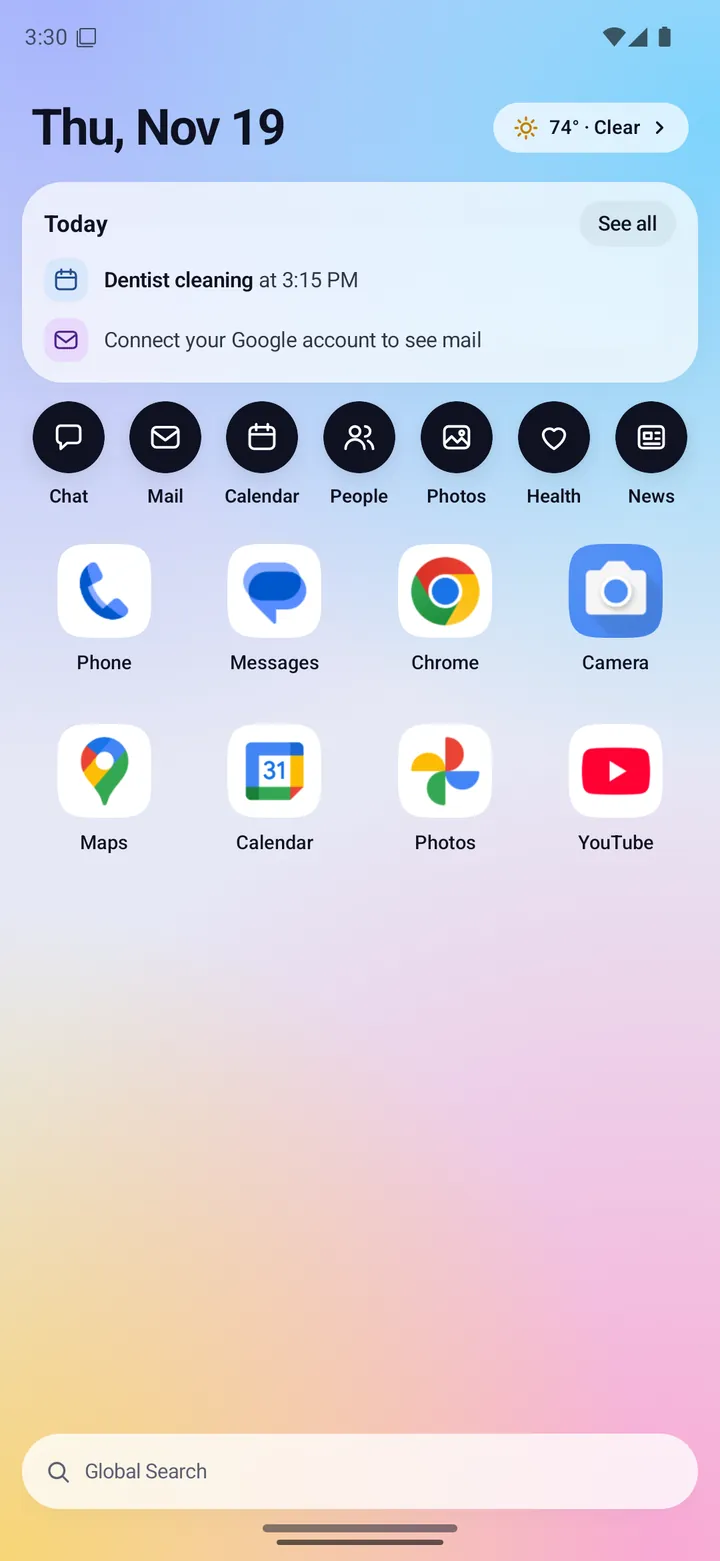
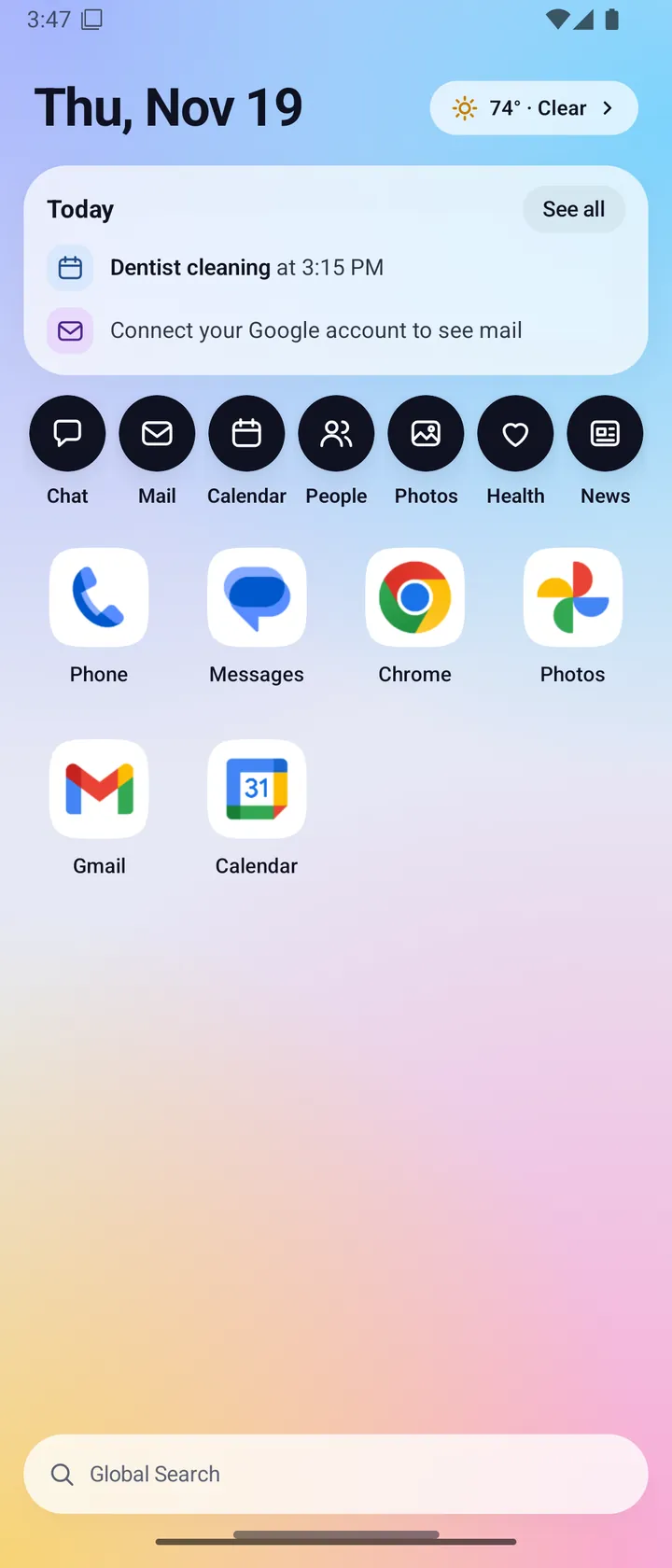
Fold X has two layouts: an open layout with a window for each part of your day, and a closed layout that works like a calm phone home. It checks which phone it is on when it starts and each time you fold or unfold, and fits its screens to that phone.
- Where you find it
- Open screen and closed screen
- How it works
- On your phone
- What you need
- Nothing extra
- Your data
- Phone model and screen size are read on the phone. Nothing is sent to pick a layout
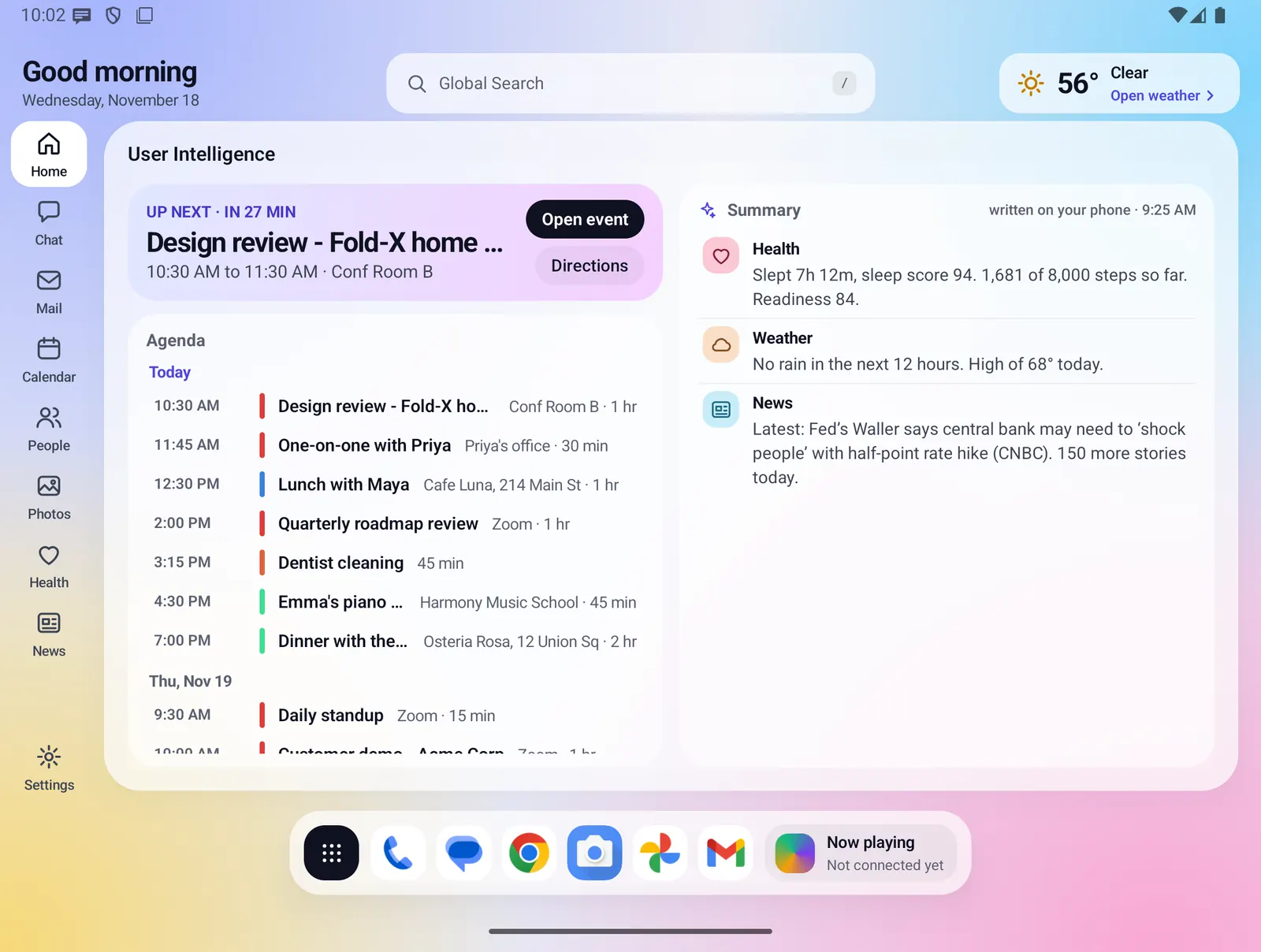
Open screen: a window for each part
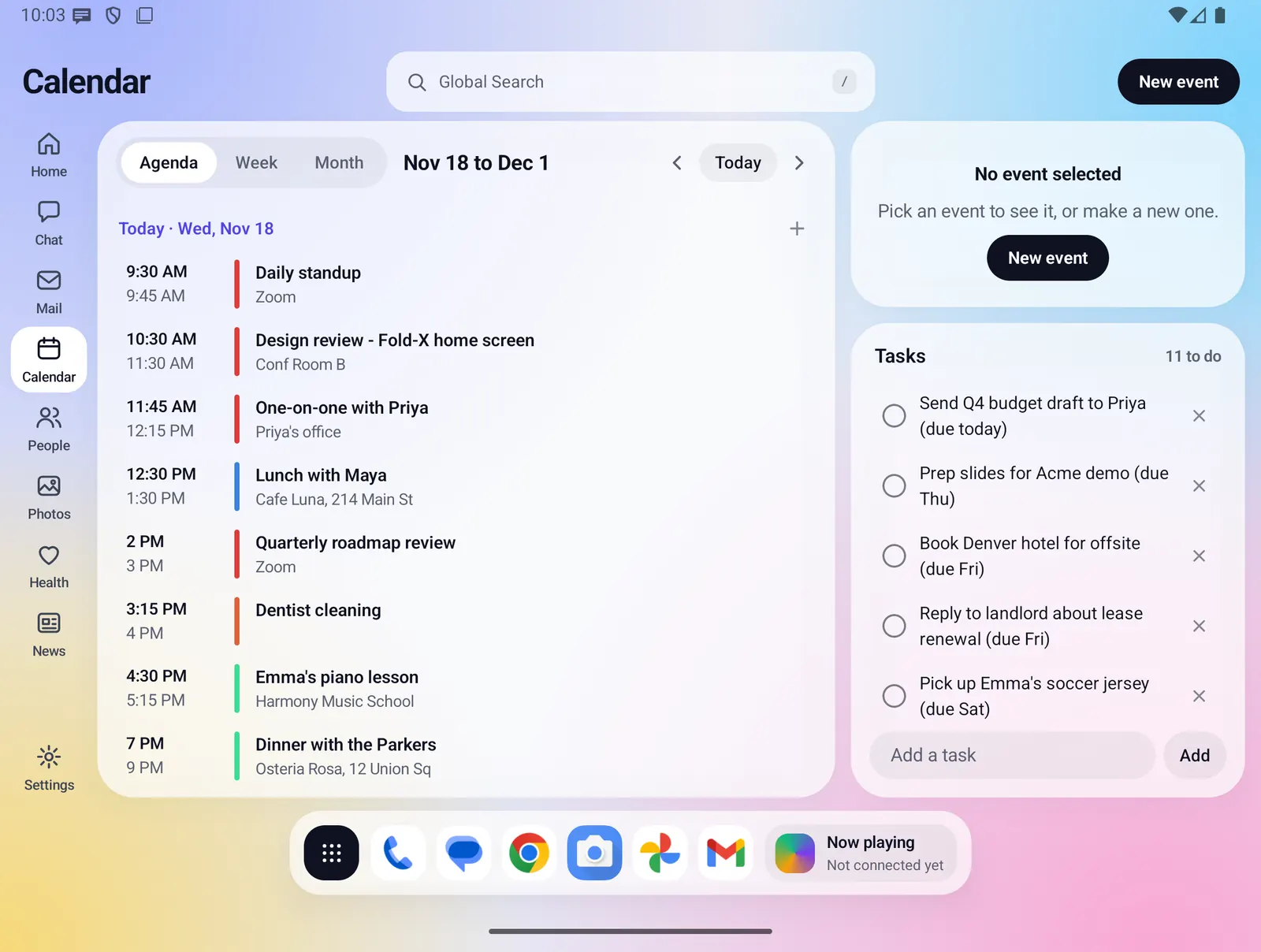
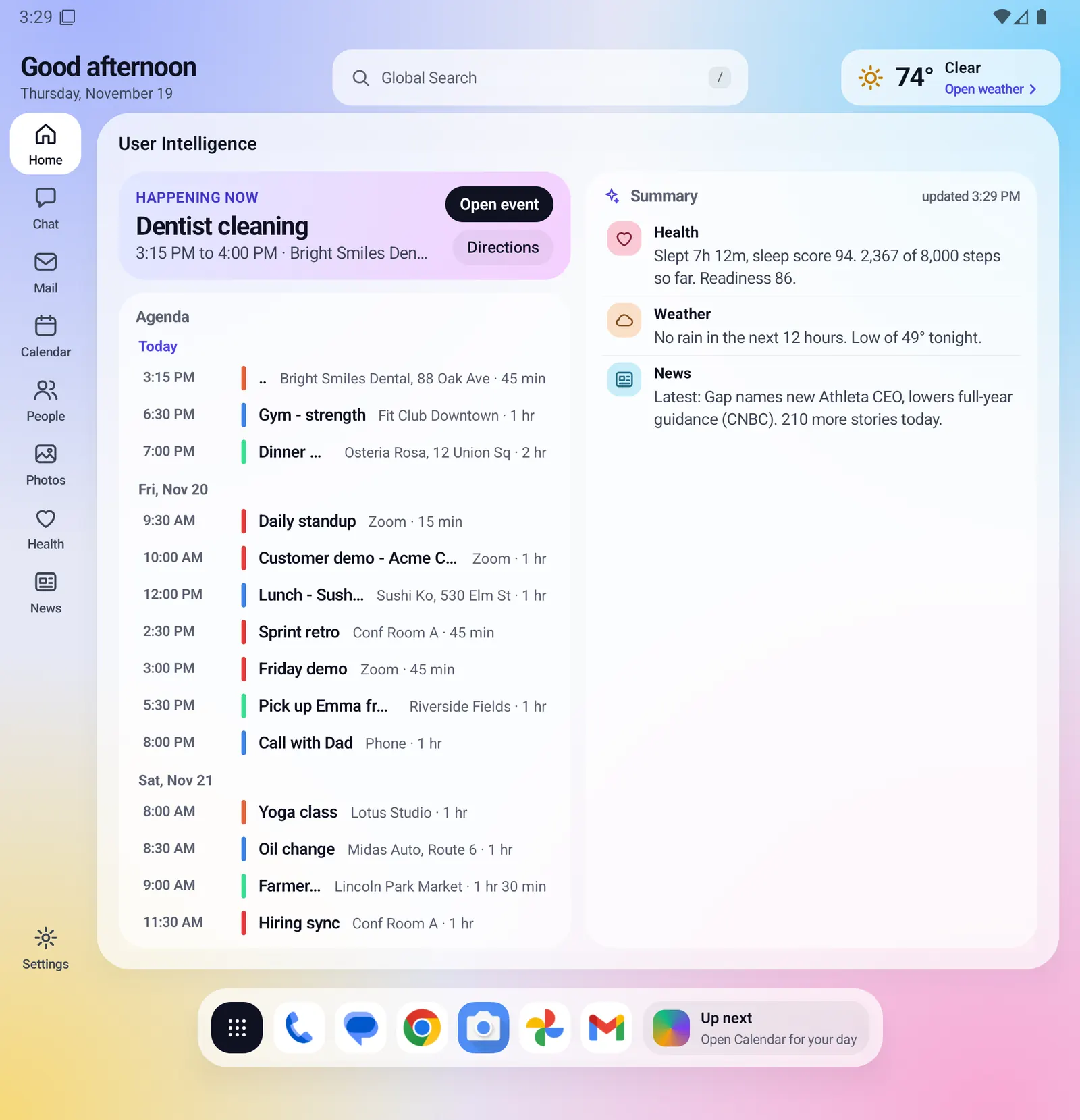
Unfolded, Fold X works like a small computer. A rail on the left switches between Home, Chat, Mail, Calendar, People, Photos, Health and News, with Settings at the bottom. The page you pick fills the stage beside it.
- A top bar on every page: the page title on the left, Global Search in the middle, and the page's own button or the weather chip on the right.
- A floating dock along the bottom with the apps button, up to six of your apps and a small dock widget.
- On Home, swipe up from the dock area to open Apps.
- Half open shows the same open layout. There is no separate half-folded layout.
Closed screen: one screen at a time
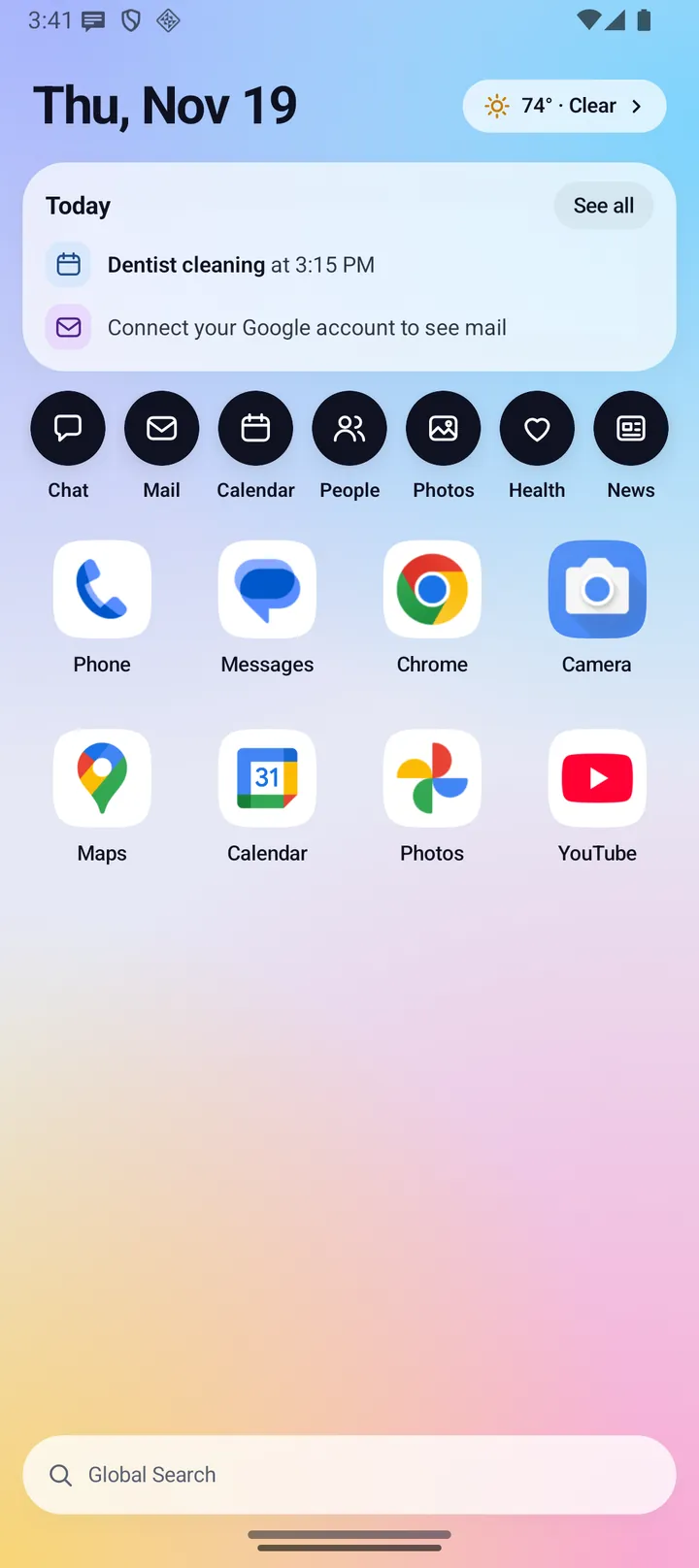
Folded, Fold X becomes a plain phone home. The date and weather sit at the top, then a Today card, a row of feature buttons, eight of your apps and Global Search.
- Each feature opens one screen at a time, with a back arrow and the phone's Back gesture.
- Swipe up or tap the handle to open the app drawer, with search, suggested apps and category chips.
- The closed dock can use the same apps as the open dock or its own list, set in Settings.
More on the Closed screen page.
Phones it knows
Fold X has a profile for each phone it is drawn for. A profile says how wide each screen is, so the layout keeps the same proportions it was designed with.
- Galaxy Z Fold8. The phone Fold X is designed for. Screens have been checked on a real Fold8.
- Galaxy Z Fold8 Ultra. Supported, not yet checked on a real phone. Its screen figures and model codes are estimates, so Fold X trusts the sizes the phone reports.
- Pixel Fold 11 Pro. Supported, not yet checked on a real phone. Its screen figures come from Google's specifications.
- Other folding phones, phones and tablets. Fold X uses the sizes the phone reports, kept within a range the layouts are known to fit. These are not tested.
The Ultra and Pixel profiles were checked on the emulator only, by setting the screen to each phone's size.
Everything Devices and layouts does
Picking a layout
- The layout depends only on how wide the window is: under 600 dp gives the closed layout, anything wider gives the open layout.
- Fold X checks again whenever the window changes: fold, unfold, rotate or split screen. A narrow split-screen window on the open screen therefore gets the closed layout.
- A half-open phone shows the open layout.
Finding your phone
- Fold X first matches the maker and model name, then the exact screen pixels, then falls back to a general folding-phone or phone profile.
- On the Fold8 the layout is drawn at fixed sizes, exactly as designed. On other phones it uses the width the phone reports, within set limits, so a wrong estimate cannot stretch the layout.
- It works out whether the phone folds from the hinge sensor or the fold Android reports.
Settings > This phone
- Shows the detected phone, the maker and model, whether it folds (and whether it is half open), which layout is in use, the window size, the whole screen in pixels and the width the layout is drawn at.
- On a phone without its own profile it says Fold X has no tuning for this model. On a phone whose figures are estimates it says so.
- Also shows the same one-line device summary Fold X writes to the phone's log, which helps when you report a layout problem.
One app for Samsung and Pixel
- There is one Fold X app. Which phone it runs on decides the details at run time.
- Health reads Health Connect on every phone, and also reads Samsung Health directly on a Samsung phone that has it installed. See Health.
- On a Pixel you see no Samsung wording: notices and buttons name the phone's own sources.
- The default mail signature names your phone (for example Galaxy Z Fold8 or Pixel Fold 11 Pro, otherwise "my phone"). A signature you have saved is never changed.
- Automatic app categories know both Samsung and Google apps.
Samsung DeX and Pixel desktop In development
Fold X has a desktop layout for a landscape external display, but it has never been run on a real DeX or Pixel desktop display. It has only been checked on the emulator at 1920 x 1080, using a test setting.
- It turns on when the phone reports DeX desk mode, or the window is on another display than the phone's own, and the window is landscape and at least 840 dp wide.
- One window with a "Fold X Launcher" title bar, a minimize button and a button to switch between maximized and windowed, holding the open layout widened, with your floating dock below it.
- Samsung phones get a DeX look with a blue and violet wallpaper and a Wi-Fi, battery and clock tray. Other phones get a Pixel desktop look with a light pastel wallpaper and the clock at the top right.
Limits and what is not built yet
- Only the Galaxy Z Fold8 has been checked on a real phone. The Fold8 Ultra and Pixel Fold 11 Pro have been checked on the emulator only.
- Other phones only scale the layout. There are no special layouts yet for the Ultra's narrow cover screen or the Pixel's nearly square inner screen.
- No half-folded (tabletop) layout.
- Desktop windows on DeX and Pixel desktop are in development. They have no Close button, the tray's Wi-Fi item is a label rather than live status, and the tour does not point at the dock on a desktop display.
- No free-form Home boards or widgets yet.
Privacy
Fold X reads the phone's maker, model, screen size and fold state on the phone to pick a layout. This needs no permission, and picking a layout sends nothing off the phone. The device line in Settings > This phone is written only to the phone's own log. If you turn on the optional cloud backup, the phone's maker and model name are saved with your backup. See Data & permissions.