Features / Closed screen
Closed screen
Open, Fold X works like a small computer with a window for each part of your day. Closed, it is a calm phone home on the cover screen. Every feature is still there, one screen at a time.
- Where you find it
- The cover screen, when the phone is closed. Half open, Fold X uses the open-screen layout.
- How it works
- On your phone. Each feature works the same as on the open screen.
- What you need
- Nothing extra for Home and apps. Each feature has the same needs as on the open screen.
- Your data
- The closed screen adds nothing of its own. It shows the same data as the open screen.
A calm Home
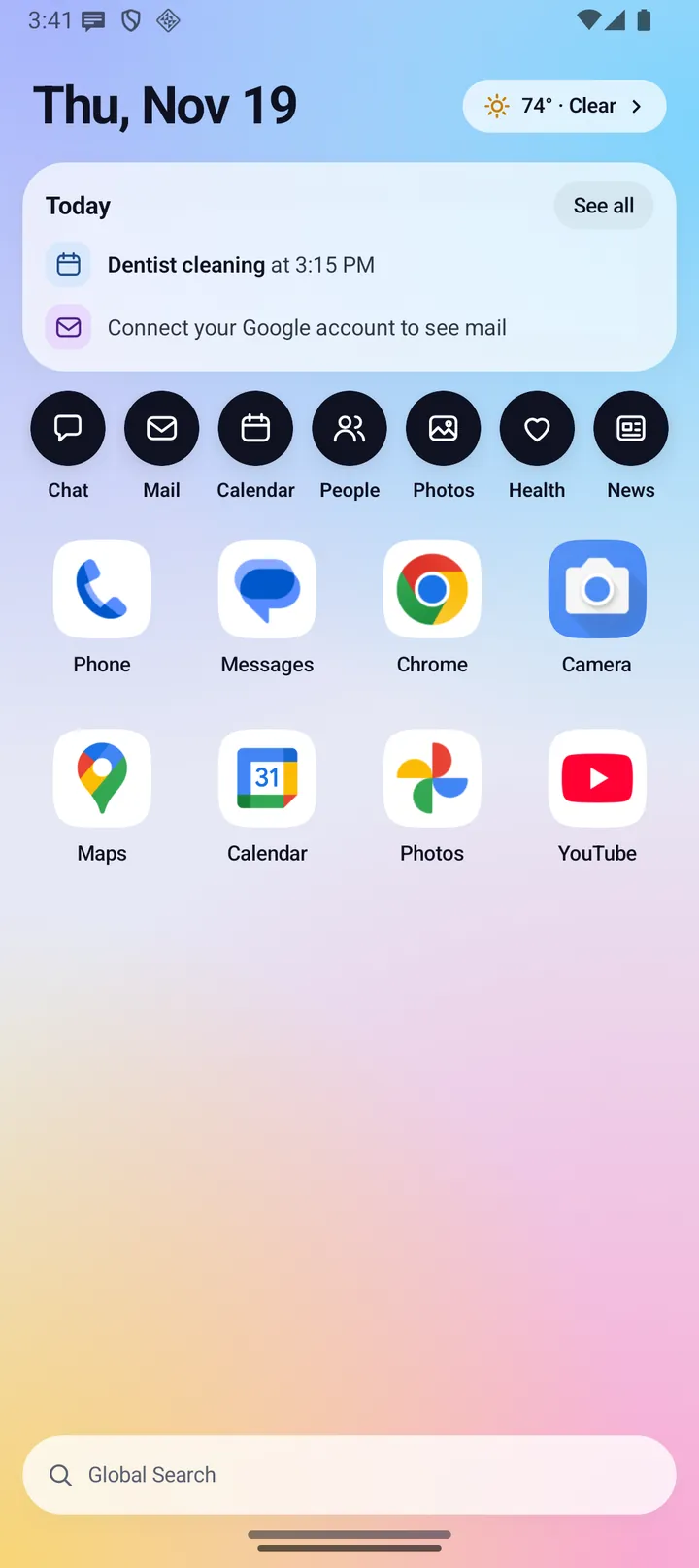
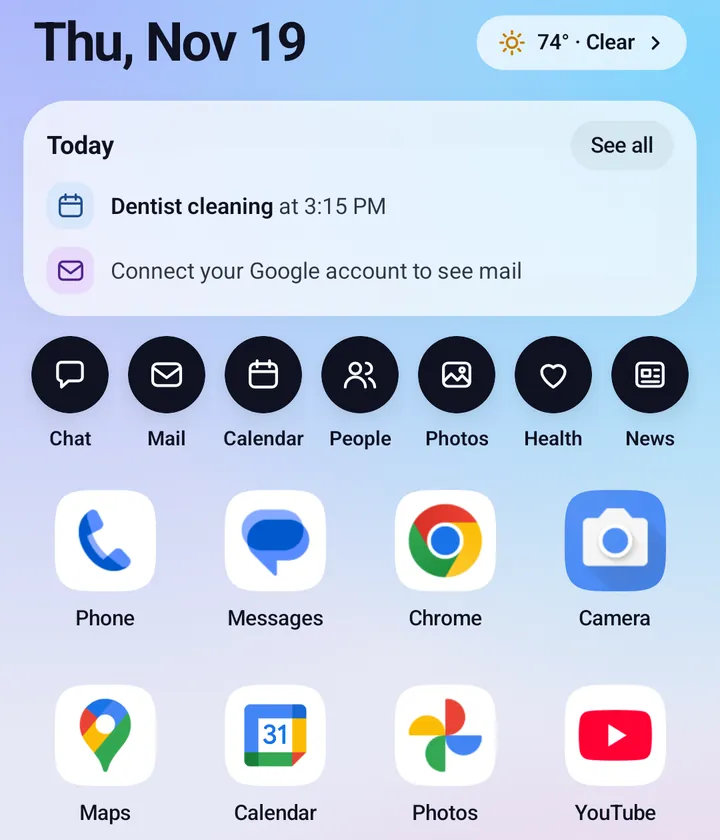
Closed, Home fits on one screen, from top to bottom:
- The date and weather. The weather button shows the temperature and conditions, and opens the Weather page.
- Today card. Your next event, such as "Dentist cleaning at 3:15 PM", and your mail, such as "3 emails need you" or "Inbox is caught up". See all opens the full Today page.
- Seven feature buttons: Chat, Mail, Calendar, People, Photos, Health and News. Mail shows a red badge for unread mail.
- Eight apps in a grid, with their real icons.
- Global Search at the bottom, and a handle to open the app drawer.
Swipe up for all apps
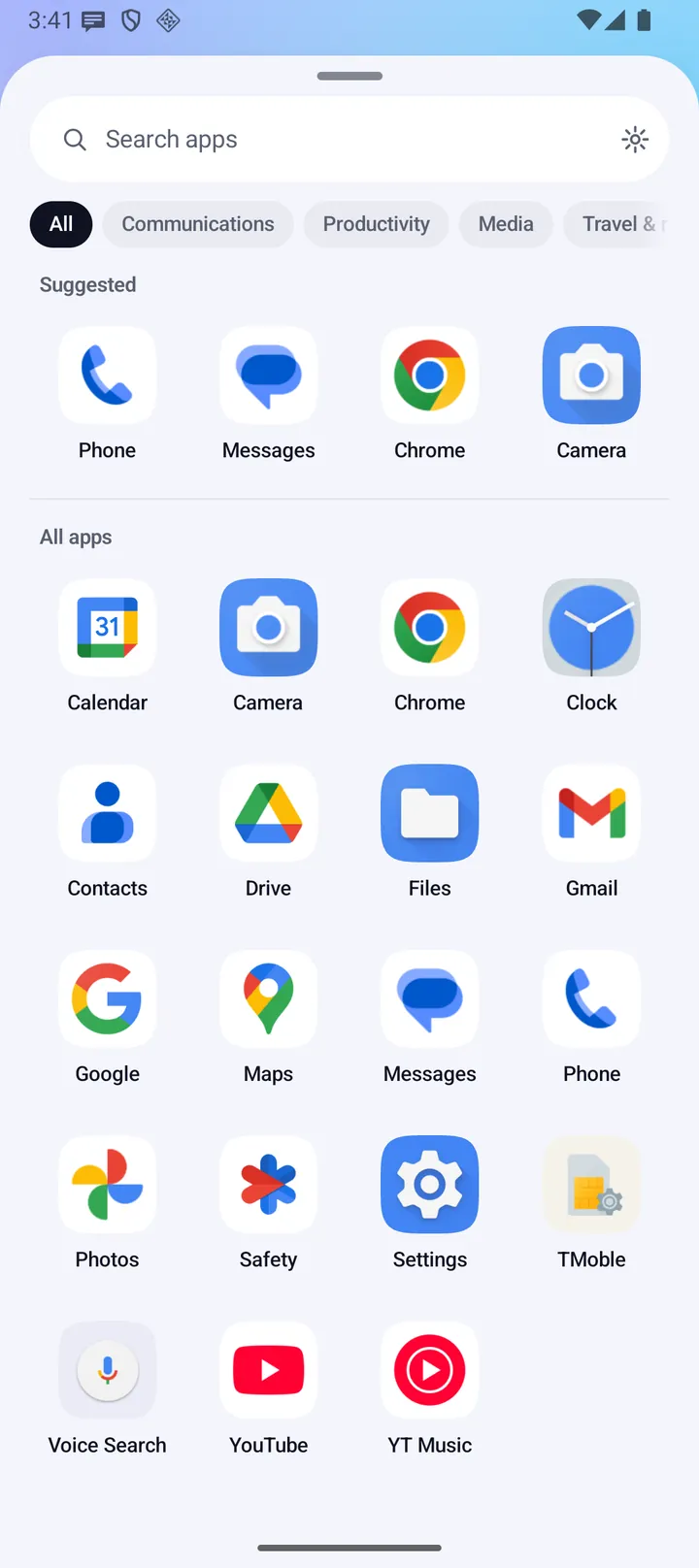
Swipe up on Home, or tap the handle, and the app drawer slides up.
- Search apps filters as you type. The gear opens Fold X Settings.
- Category chips: All, the automatic groups that have apps, and your own categories.
- Suggested shows four of your home apps, then All apps.
- Organize lets you move apps between categories, add or delete your own categories, turn Auto-sort on or off and undo your moves. See Dock and Apps.
- Tap the handle or drag it down to close.
Every feature, one screen at a time
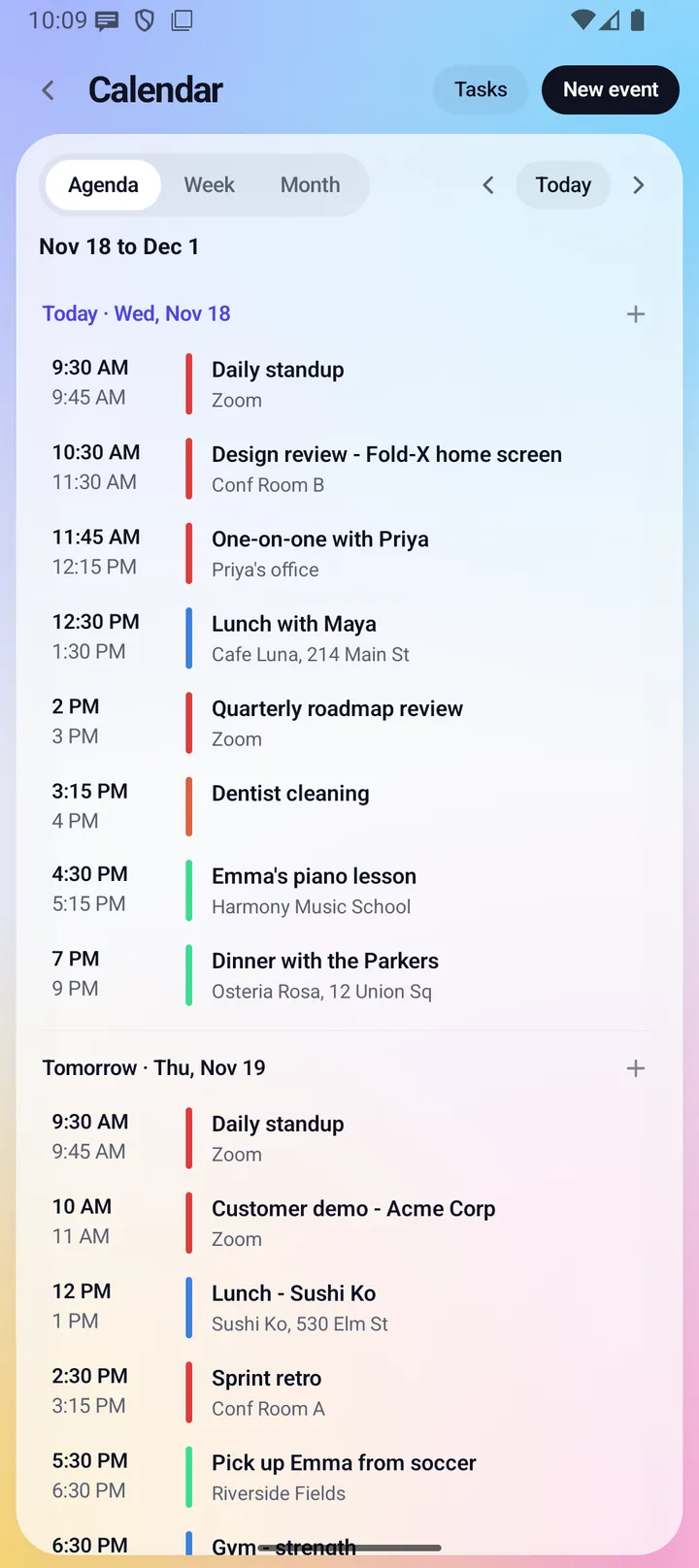
Tap a feature button and it fills the screen, with a back arrow and the page's own buttons at the top. Where the open screen shows a list and a reader side by side, the closed screen shows the list first and opens the item on its own screen.
- Calendar keeps Agenda, Week and Month, Tasks and New event.
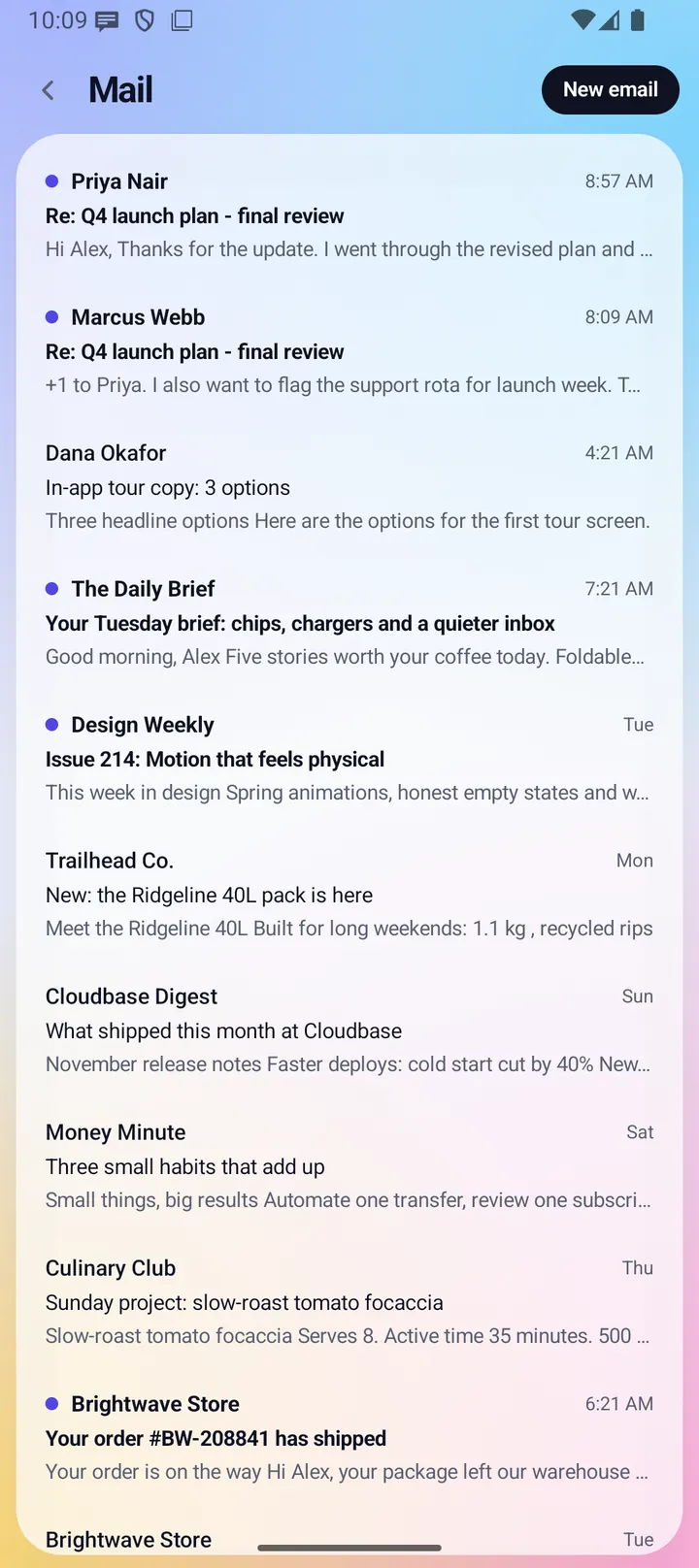
- Mail shows your inbox, then one message at a time, with New email at the top.
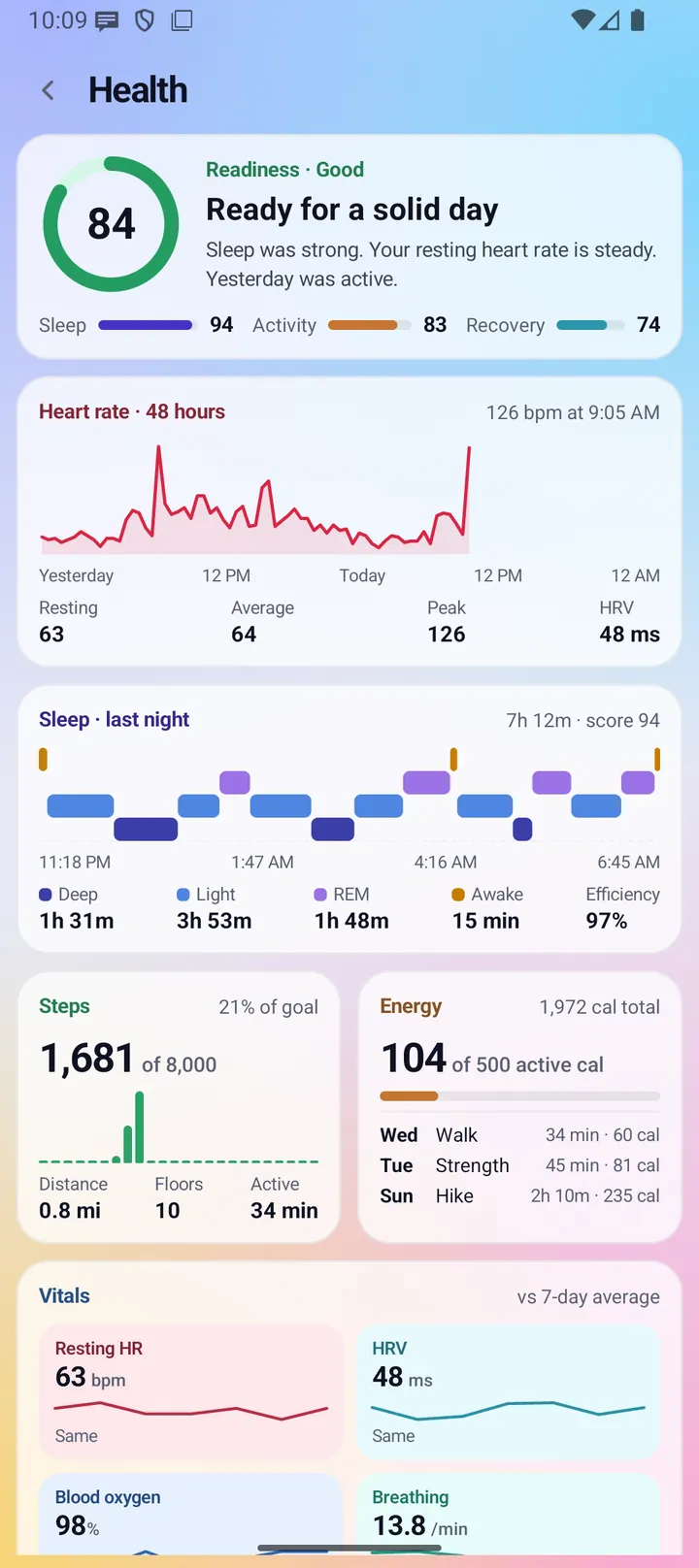
- Health, Weather and the other dashboards stack their cards in one scrolling column.
- Global Search has its own field and shows one card per row.
- Pages stop above the gesture bar, so nothing runs under it.
Everything the closed screen does
Home
- Date in short form, such as "Thu, Nov 19".
- Weather button: "74° · Clear", or "Set your place" when no place is set.
- "Finish setting up" card with your progress and a close button, until setup is done or you close it. Tap it to open the checklist.
- Today card, calendar row: the next timed event that has not ended, or an all-day event ("Vet, all day"). "Nothing else on your calendar" when the day is done. "Allow calendar access to see your day" without access.
- Today card, mail row: unread mail in your inbox. "Connect your Google account to see mail" when mail is not connected, and "Mail could not be loaded" if loading fails.
- Today card, missed calls row: test builds installed outside Google Play only.
- See all opens the Today page: Up next, the Agenda and the Summary from the open-screen Home, stacked in one column.
- Seven feature buttons, eight apps, the Global Search pill and the drawer handle.
Apps
- The eight apps come from your home apps list. Until you pick your own, they are your phone's defaults, such as the dialer, messages, browser and camera.
- You can give the closed screen its own list of up to 8 apps in Settings > Dock > Home apps, with "Different apps for closed and open".
- On the closed screen, the Apps page always opens as the drawer.
Getting around
- Swipe up on Home, or tap the handle, to open the drawer.
- Back, or the back arrow, steps back in order: it closes the drawer, then goes from an item to its list, then from Search or Apps back to where you were, and from any other page back to Home.
First run
- The tour runs on the open screen only. The "Finish setting up" checklist and the "Welcome back" screen show on both screens.
Limits and what is not built yet
- The Today card has no Tasks or Messages row. Tasks are in Calendar.
- The missed calls row exists only in test builds installed outside Google Play. The Google Play build does not read your call log.
- Long pages such as Health, Chat, People and the app list scroll on the closed screen.
Privacy
The closed screen is another view of the same Fold X. It reads the same data, with the same permissions, as the open screen, and sends nothing of its own. See Data & permissions.