Features / Chat
Chat
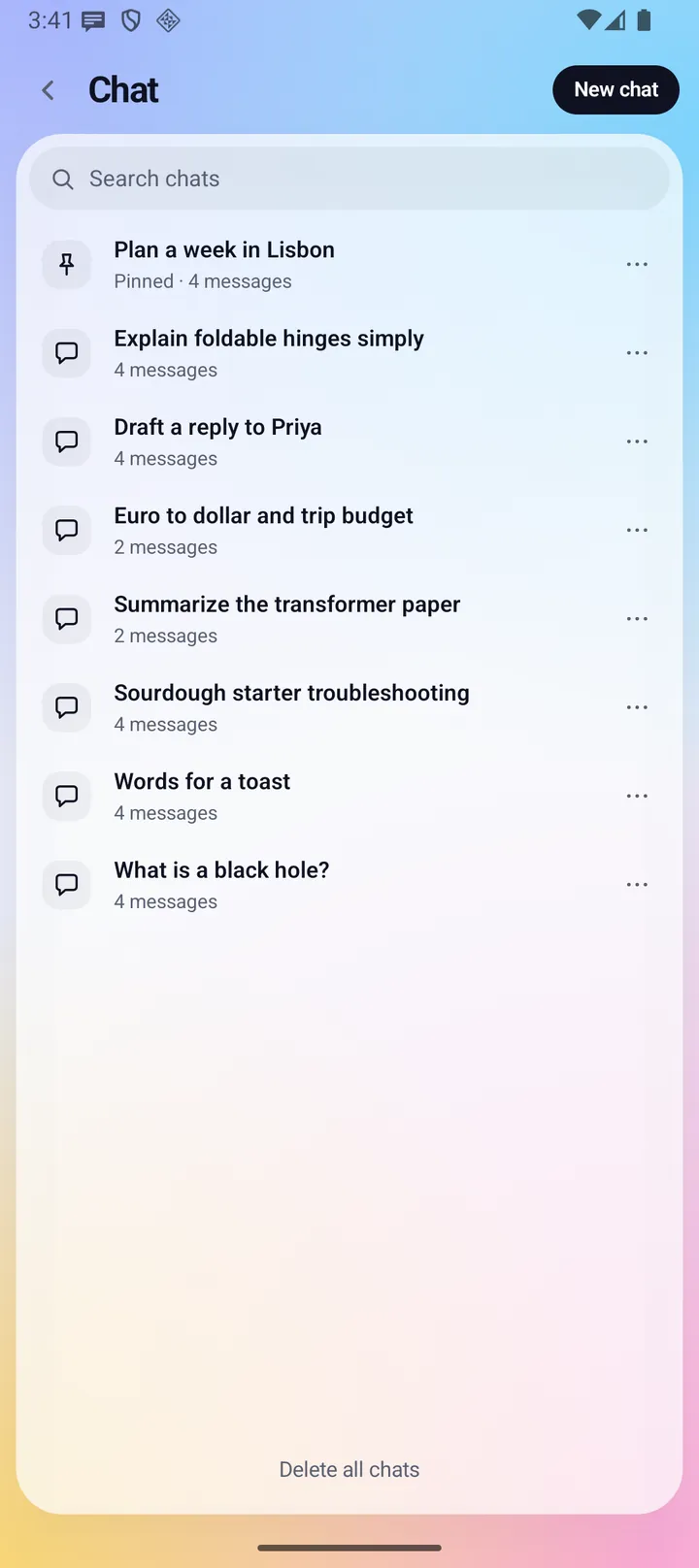
Chat is an AI assistant whose answers are written by a model on your phone, not on a server. It can read your calendar, tasks, contacts, mail, health and calls on the phone when you ask, and it prepares changes as cards that do nothing until you approve them. Your chats are saved on the phone.
- Where you find it
- Open screen window and closed screen
- How it works
- Answers on your phone. Web search and image making go through the Fold X server
- What you need
- A Fold X account and a plan or trial, plus the on-device model, downloaded in Settings
- Your data
- Your messages, attachments and chats stay on the phone. Only web search text and image prompts leave it
Answers written on your phone
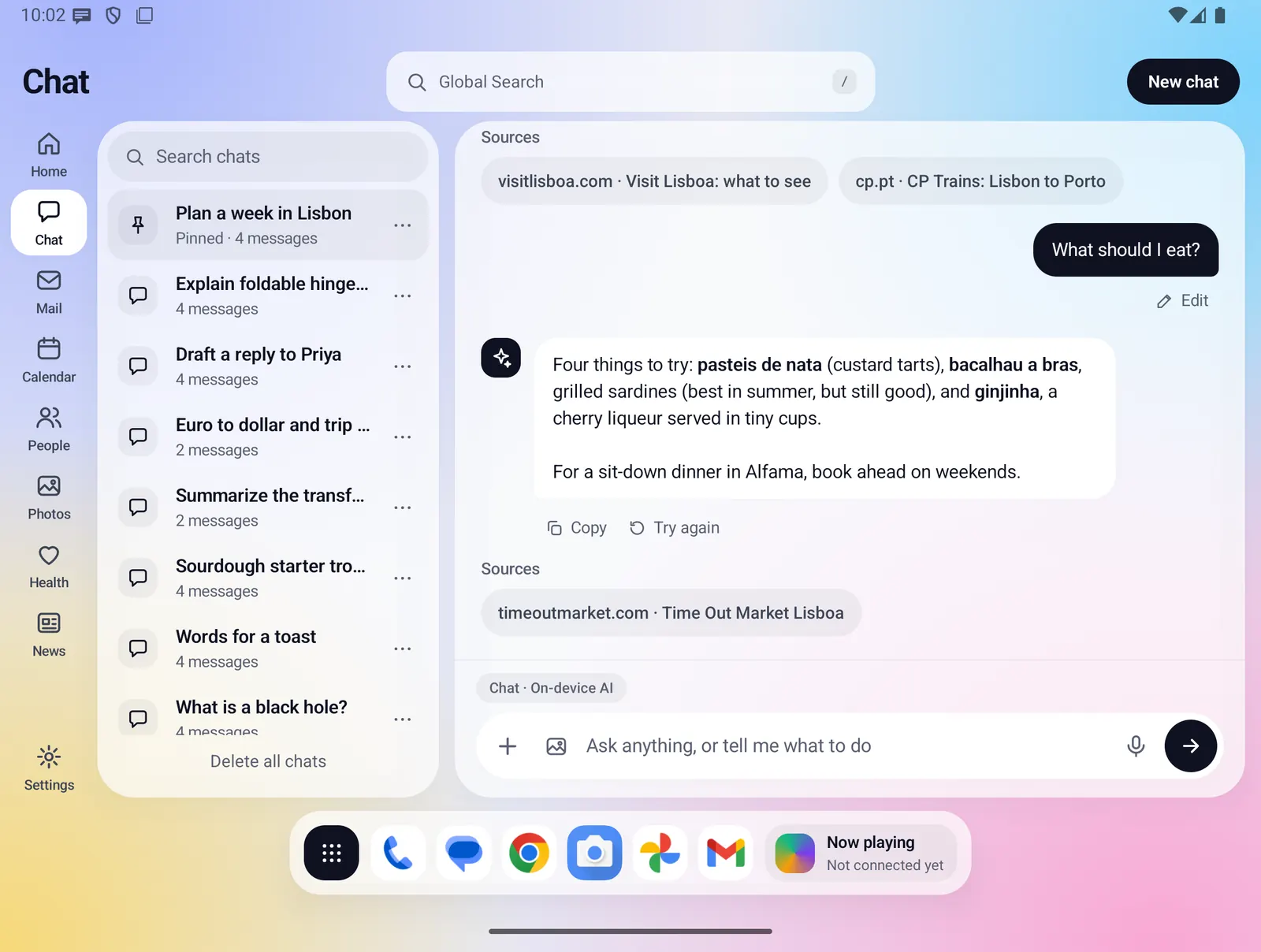
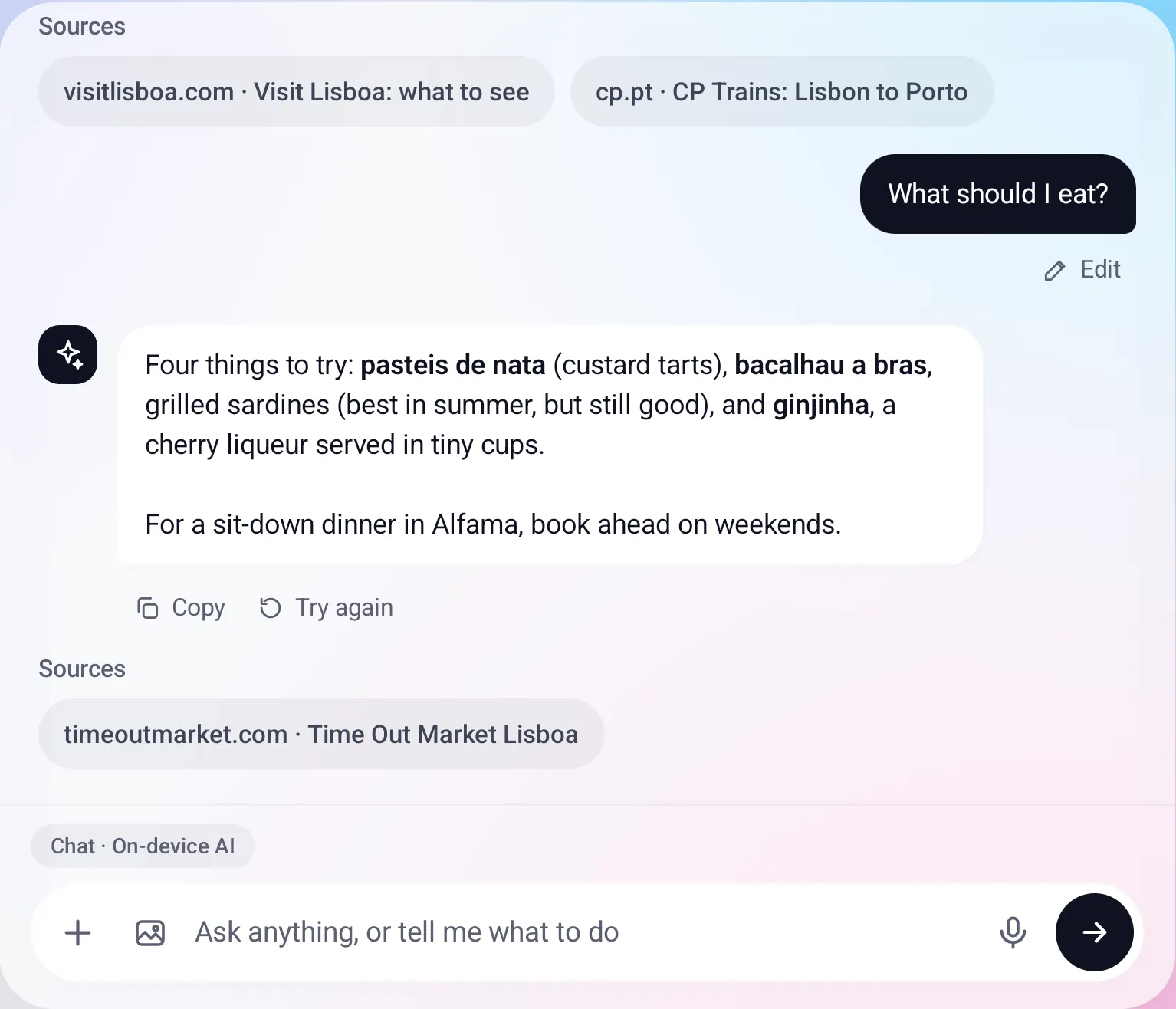
The model runs on the phone itself (Gemma 4, using the graphics chip first and the processor if needed). The answer appears word by word as it is written, and nothing you type is sent to a server to get it.
- Stop: while an answer is being written, the send button becomes Stop. The text so far is kept.
- Try again: drops the last answer and asks again.
- Edit: puts one of your messages back in the box. Sending it replaces that message and everything after it.
- Copy: copies a reply, or long press any message.
- If an answer fails part way, the text so far is kept and Try again is offered.
Saved chats, kept on the phone
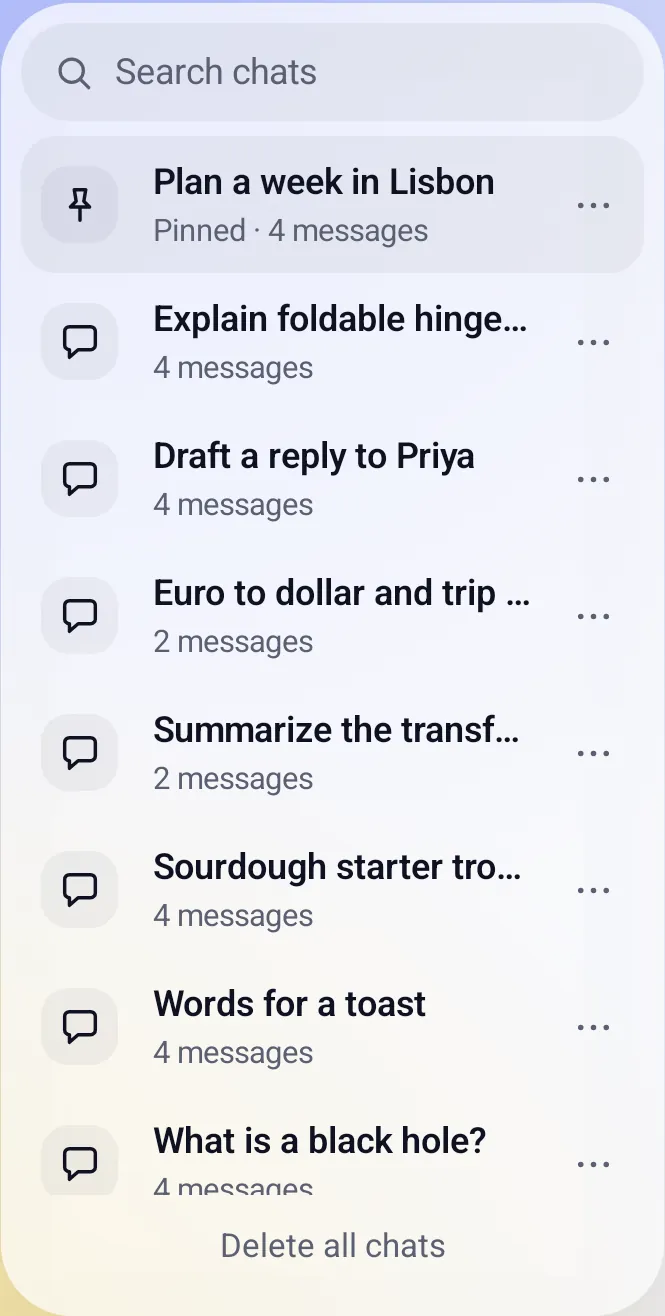
Every chat with at least one message is saved on the phone a moment after it changes, with its pictures and cards. Chats are not stored on any server, and they work signed out.
- Search your chats by title or message text, with the matching piece shown.
- Pin, rename or delete a chat from its menu. Pinned chats sort first.
- Delete all chats, after a confirm.
- The newest 200 chats are kept. Signing out does not remove them.
Attachments, dictation and pictures
The message box has four buttons: "+" for attachments, the picture button for image mode, the microphone, and Send.
- "+": Take photo, Choose photos or Choose a file. Up to 4 photos and up to 4 text or CSV files per question. Photos are shrunk to 1600 px on the long side. Fold X needs no camera, photo or storage permission for this.
- Microphone: opens Android's own speech-to-text screen and adds what you said to the message.
- Image mode: the picture button, or a message like "generate an image of ...", makes a picture. The mode turns off after sending.
- The tag above the box names the model in use.

Everything Chat does
Reads your phone when you ask
When your words point at your own data, the model can use a tool on the phone. What a tool reads goes only to the model on the phone.
- Calendar: finds events in a date range.
- Tasks: lists today's, this week's, overdue or all tasks.
- Contacts: looks up a person or business. When several match, a "Which one?" card lets you pick.
- Mail: searches the mail already in Fold X Mail.
- Health: reads steps, sleep, heart rate or weight for a date range.
- Calls: reads your call history, with everyone or one person.
- Weather: reads the forecast already on the phone for the place set on the Weather page.
- Opens a Fold X page: Home, Chat, Calendar, Tasks, People, Mail, Health, Photos or Settings.
Cards you approve
Chat never changes your data on its own. It shows a card with exactly what will be written, and you choose Approve, Edit or Cancel.
- New task, with an optional due date.
- New calendar event, with time, length and place.
- A note line added to a contact.
- An email draft. Open draft opens it for you to edit and send yourself. Chat never sends mail.
- Undo after approving, where the data allows it.
- Cards are saved with the chat.
Web search
- The model can search the web when it needs current or outside information. The card shows the exact text that was searched and the result links.
- The Web on/off pill above the message box turns web search on or off. Off, the model is never offered it.
- If the search text contains an email address, a phone number or the name of one of your contacts, nothing is searched until you check the text and send it, or cancel.
- Web search uses no AI allowance.
Tasks without the AI
- "Add a task: buy printer ink" adds the task to your task list and shows an "Added to Tasks" card with Open Calendar.
- "What are my tasks?" lists your open tasks.
- Both are handled on the phone before the AI, so they work signed out, without a plan and without the model.
Pictures
- Image mode sends your message as a prompt to the Fold X server, which makes the picture and sends it back. Earlier messages and attachments are not sent with it.
- Pictures count against a monthly allowance. In image mode a thin bar shows how much is left, in percent. Text answers use no allowance.
Settings that shape Chat
- Settings > On-device AI has a switch for each kind of data Chat may read: Mail, Calendar, Contacts, Health, Tasks and notes, Photos tags and Call log. All are on until you turn one off, and they are checked on every message.
- The model is downloaded there. Without it, Chat says so and offers Download in Settings. There is no server fallback for text.
- The first answer after the model was unloaded waits while it loads and says "Getting the AI model ready".
Open and closed
- Open: the chat list sits beside the conversation, with New chat at the top.
- Closed: one screen at a time. The conversation shows first, and the Chats button opens the list.
Limits and what is not built yet
- In development Offline dictation: a switch in Settings > On-device AI lets the microphone record and the Gemma 4 model write your words down, with no network. It is off by default and not yet checked on a real phone. When it cannot run, Android's speech screen opens instead.
- Chat with tools is built but has not yet been checked on a real phone.
- Attachments are photos and text or CSV files only. PDF, Word and audio files are not supported.
- Only the attachments on your latest question go to the model.
- Very long chats are trimmed: the earliest messages are left out when the model runs out of room.
- No voice replies, no choosing a model, and no editing of generated pictures.
- Chats do not sync between devices.
- Older saved chats may show source links and fact cards from an earlier version. The on-device model does not make those cards.
Privacy
Your messages, the chat history, attached photos and files, and anything a tool reads from your phone are handled by the model on the phone and are not sent anywhere. Two things leave the phone, both to the Fold X server: the text of a web search, which the card shows you, and the prompt for a picture in image mode. Chats are saved in Fold X's private storage on the phone and are included in your phone's own device backup. Attaching photos and files needs no permission. The microphone permission is asked for only if you turn on offline dictation, and the recording is kept in memory and never saved or sent. See Data & permissions.