
Features / Mail
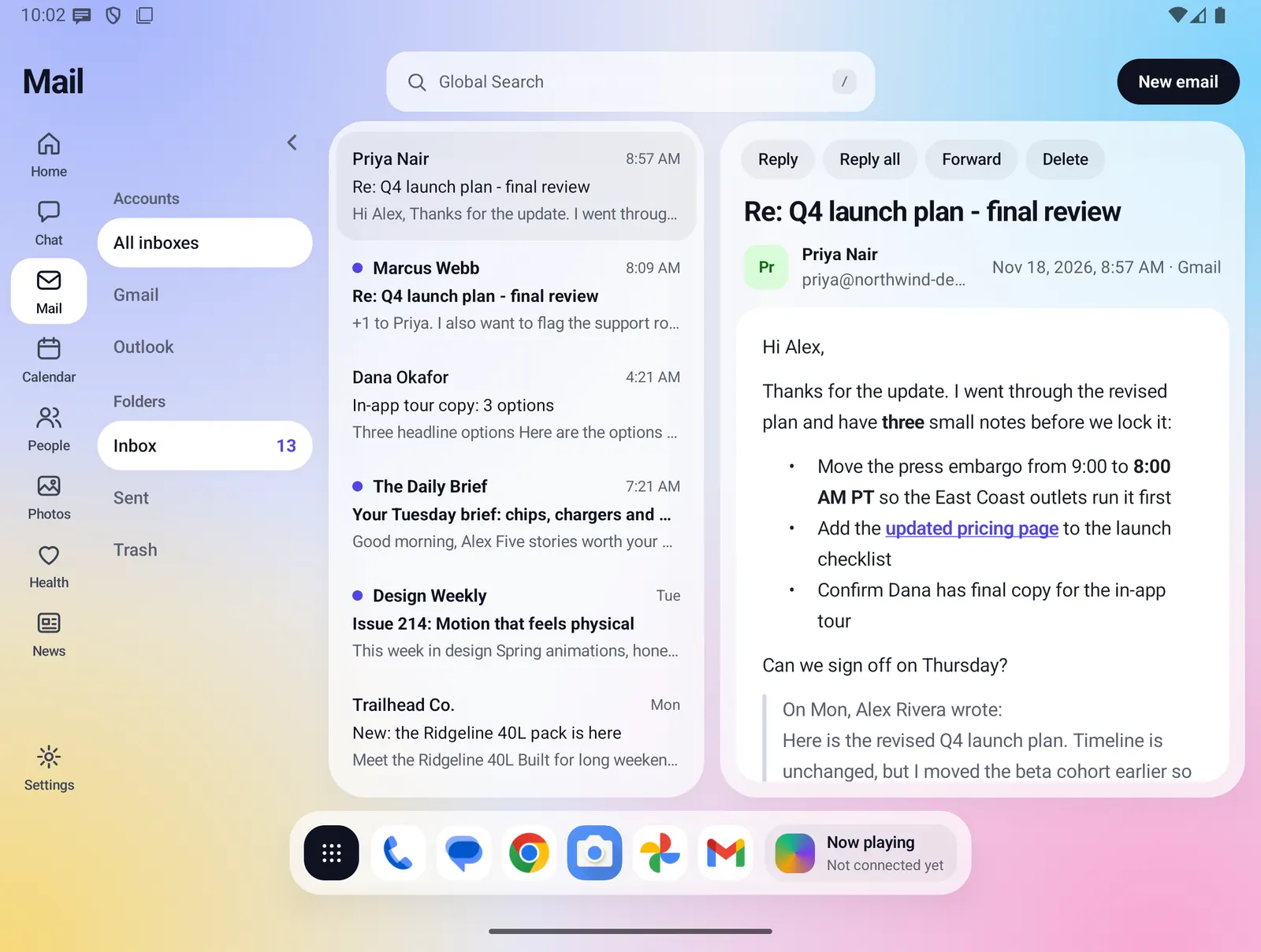
Your Gmail in a Fold X window. On the open screen your folders, the message list and the open message sit side by side, and on the closed screen you get one screen at a time. You can reply, reply all, forward and write new mail, and the AI model on your phone can sum up a message or start a reply for you.
- Where you find it
- Open screen window and closed screen
- How it works
- Mail comes from Gmail through the Fold X server. Summaries and drafts run on your phone
- What you need
- A Fold X account, a Fold X plan or the free trial, and your Google account connected in Settings
- Your data
- Mail passes through the Fold X server to your phone, which keeps a copy. AI summaries and drafts never leave the phone
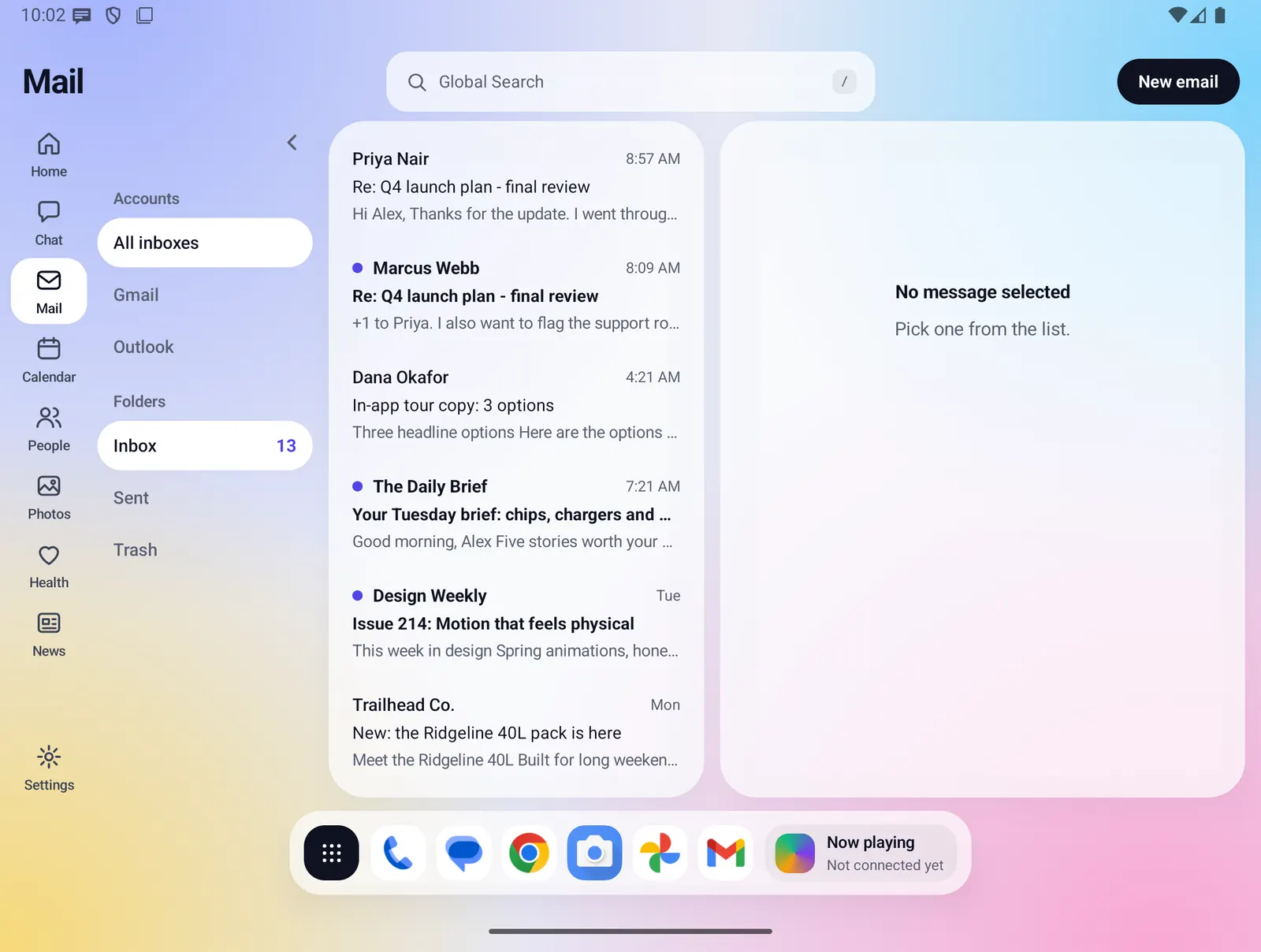
Folders, list and reader, side by side
On the open screen, Mail uses the width of the Fold. Your folders are on the left, the message list is in the middle and the open message fills the rest.
- All inboxes shows your Inbox. Sent and Trash each have their own folder.
- Each folder shows how many unread messages it has.
- Each row shows the sender, the time, the subject and the first line of the message. Unread rows are bold with a dot.
- Times are shown in your phone's time zone: the time for today, the weekday for the past week, and the date for anything older.
- Tap the arrow at the top of the folder column to fold it down to a thin strip and give the list and message more room.
Messages that are easy to read
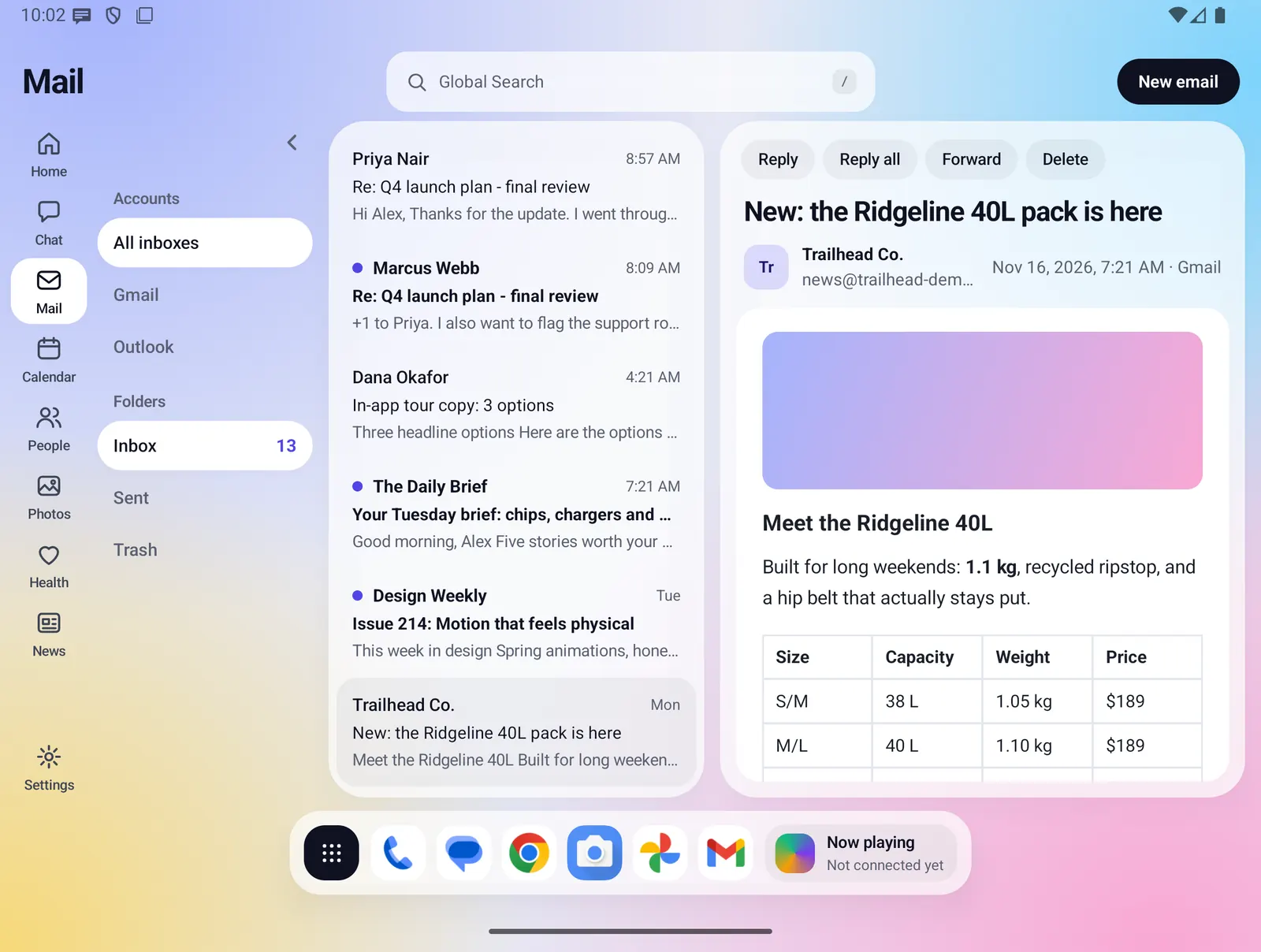
Fold X turns each message into clean blocks of text on a white card, so newsletters and long threads read like a page, not like code.
- Headings, paragraphs, bulleted lists, bold text and links keep their look.
- Tables, such as receipts, invoices and price lists, are shown as tables.
- Quoted replies are set off with a line down the side.
- Styles, scripts, hidden blocks and the extra code that Outlook and Word add to a message are removed before you see it.
- The top of the message shows the subject, the sender's name and address, anyone copied, and the full date and time.
- Opening a message marks it read.
On the closed screen
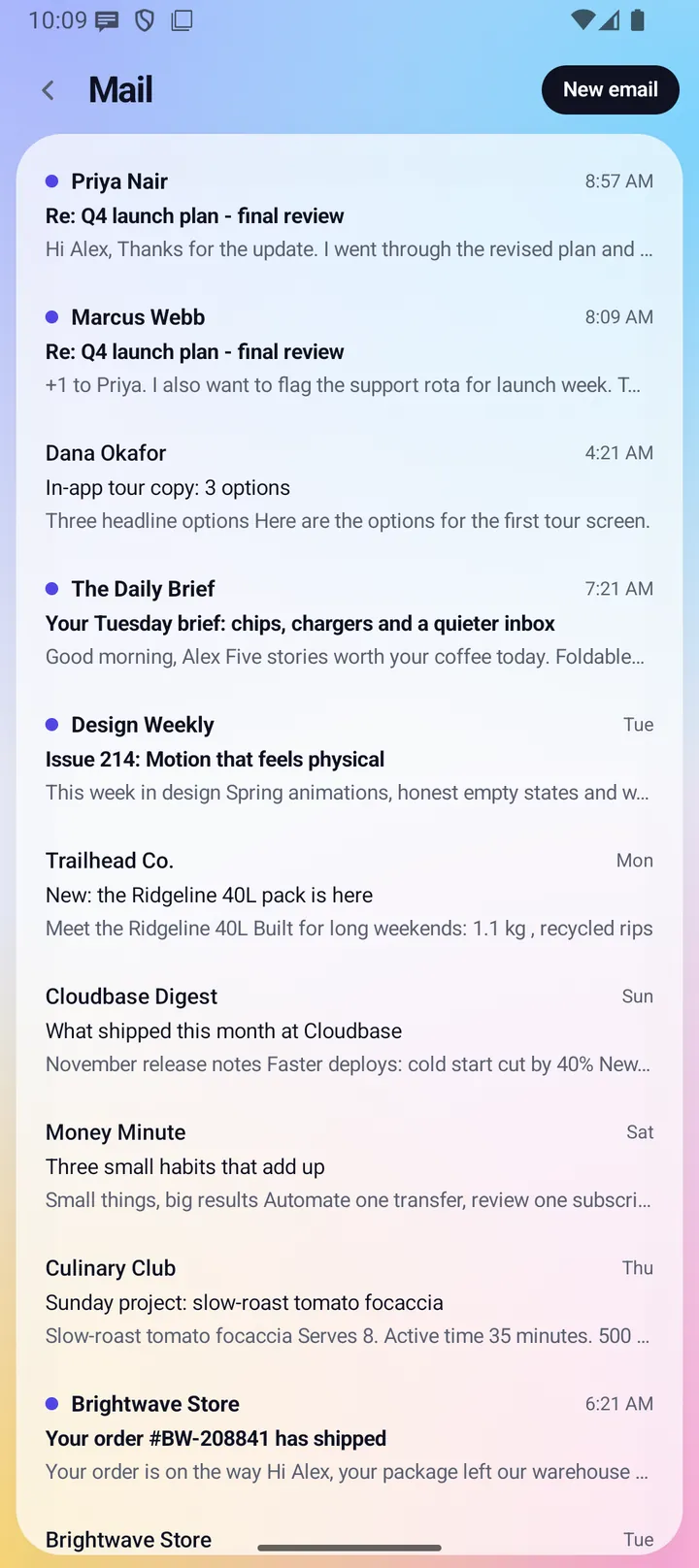
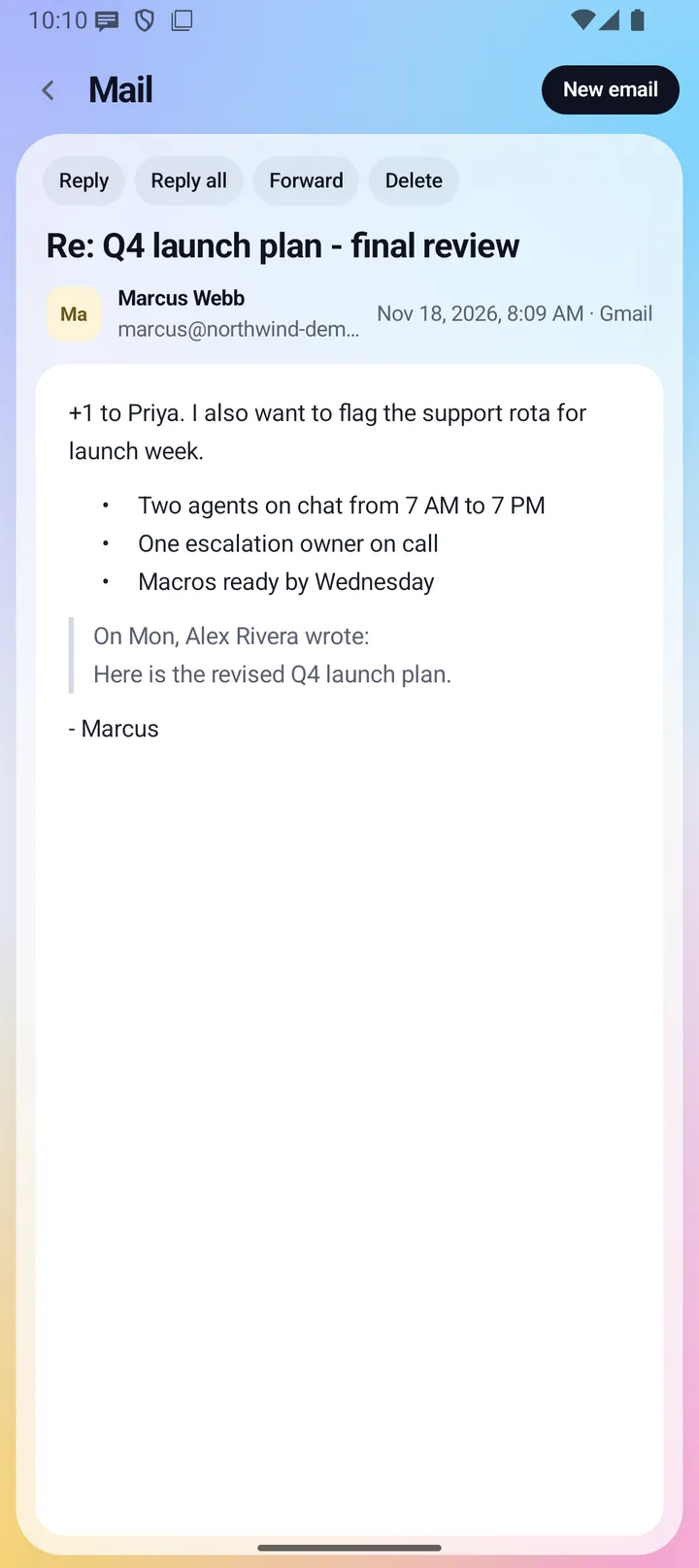
With the Fold closed, Mail shows one screen at a time. The message list comes first. Tap a message to open it full screen with the same Reply, Reply all, Forward and Delete buttons. New email, Reply and Forward open the writing screen full screen too. The back arrow returns to the list, and from the list it leaves Mail.
Everything Mail does
Reading and sorting
- Shows your latest Gmail messages in Inbox, Sent and Trash, up to 30 per folder.
- Opening a message marks it read. Press and hold a row to mark it read or unread.
- Delete moves the open message to Trash and opens the first message left in the folder. A short note says "Moved to Trash".
- Changes you make, such as marking read or deleting, are sent to Gmail through the Fold X server.
Writing, replying and forwarding
- New email opens a blank message with To, Subject and the message box.
- Reply fills in the sender and "Re:" before the subject. Reply all also adds everyone who was copied. Forward leaves To empty and puts "Fwd:" before the subject.
- Replies and forwards include the original message as quoted text below an "On (date), (name) wrote:" line.
- Your signature is added to every new message, reply and forward. You write it in Settings > Mail.
- Send sends the message through your connected Gmail. If To is empty, Mail asks you to add who it is going to. A message with no subject is sent as "(no subject)".
- Discard closes the message without sending.
- On the open screen, the writing form opens in the reader pane, so the list stays in view.
Summaries written on your phone
- The Summarise button on an open message writes a short summary in a card above it: 3 to 5 bullets, plus Date, Amount and Ask lines when the message has them.
- The summary appears as it is written. You can stop it, then copy it or dismiss it.
- The card says the summary was written by the AI on your phone from this message only, and that it can miss or misread things.
Reply drafts written on your phone
- Draft reply asks what the reply should say: Yes, No, Ask for more time, or Custom, where you type your own instruction of up to 300 characters.
- The draft is written straight into the same reply form that Reply opens, with the address, subject, signature and quoted message already filled in.
- When a fact is missing, the draft leaves a placeholder in brackets, such as [time], for you to fill in.
- A line above the form says "Writing a draft..." with a Stop button, then reminds you to read and edit the draft before you press Send.
- A draft is never sent on its own. You send it with the normal Send button, or discard it.
- Only the open message goes to the AI: its subject, sender, date and text. Your contacts, calendar and other mail are not used. Very long threads are trimmed, oldest quoted part first.
- Leaving the message, opening another one or leaving Mail stops the AI and clears the summary.
When something is missing
- If a setup step is missing and no mail is kept on the phone, the window says what to do, with one button: Sign in, See plans or Connect Google.
- Connect Google opens Google's own consent page. You can disconnect it again in Settings.
- If your plan ends, Mail asks you to choose a plan. The copy of your mail on the phone is removed the next time Fold X checks with the server.
- If Gmail or the server does not answer, Mail tries once more and then shows the mail kept on your phone. With nothing kept, it says "Mail could not be loaded. Try again." with a Retry button.
- If Summarise and Draft reply cannot run, the buttons give way to one line that says why, such as Mail being switched off for the AI or the model not being on the phone yet, with a link to Settings > On-device AI.
Fast to open
- The last mail Fold X read is kept on your phone, so Mail shows it the moment it opens and then updates.
- Mail kept for less than two minutes is used as it is, without asking the server again. This keeps Gmail from slowing down when several parts of Fold X ask for mail at once.
Elsewhere in Fold X
- The Home summary mentions your unread mail and the newest messages, and links to Mail. The closed-screen Home shows your unread count.
- Global Search includes your mail. You can switch mail off as a search source in Settings > Search.
- In Chat, the AI can search the mail kept on your phone and prepare a mail draft as a card. That draft opens in your phone's mail app, not in Fold X Mail, and is never sent for you.
Large text
- At larger text sizes, the subject and sender scroll away with the message and the writing form scrolls as one, so the text keeps most of the space.
Limits and what is not built yet
- Mail works with Gmail only, through a Google account you connect in Settings. Other mail services are not supported.
- Only Inbox, Sent and Trash are shown. Gmail labels, other folders, archive, spam and starring are not in Fold X Mail.
- Fold X reads the latest 30 messages per folder. Older mail is not loaded.
- There is no search box inside the Mail window. Use Global Search to find mail.
- Pictures inside a message show as a colored placeholder, and links are styled but do not open from the reader.
- Attachments are not shown, and you cannot attach files to a message you write.
- There is no separate Cc field. Reply all puts everyone in To.
- You cannot move a message back out of Trash from Fold X.
- Summarise and Draft reply need the on-device AI model on your phone. The model downloads only on a plan or trial that includes Chat. See On-device AI.
- The instructions the AI follows come from Fold X's signed app configuration. Before the phone has fetched it the first time, a short built-in instruction is used and summaries and drafts are less careful.
Privacy
Your phone never talks to Gmail directly. When you connect Google, you approve access on Google's own page, and the Fold X server keeps the sign-in token, not your phone. The server reads your mail from Gmail and passes it to your phone, and sends, marks and deletes mail for you the same way. Your phone keeps a copy of the last mail it read in Fold X's private storage, which other apps cannot read. That copy is deleted at once when you disconnect Google, sign out or delete your account, and when the server reports that your plan has ended. It is never part of your phone's own Android backup, and it goes into Fold X cloud backup only if you turn on the kept mail category there, which is off until you agree. Summaries and reply drafts are written by the AI model on your phone. The message text is not sent anywhere for them, and the summary is not saved. See Data & permissions for details.