
Features / Global Search
Global Search
One search for everything on your phone. Type once and Fold X shows a card for each place it looked: Mail, Calendar, People, Apps, Files and Phone settings. Type a sum and it shows the answer. Search runs on your phone.

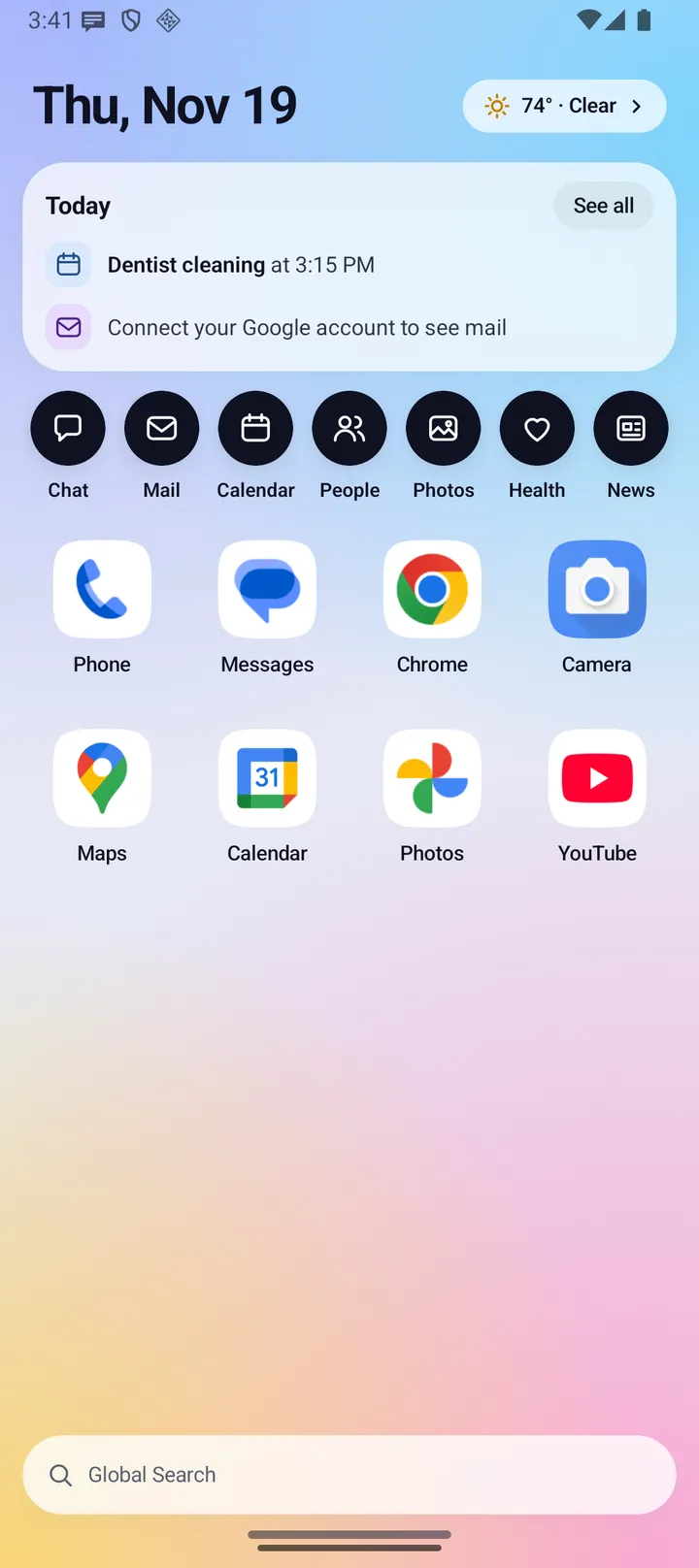
There is no screenshot of the search results page yet. The picture above shows the search pill in the top bar.
- Where you find it
- Both screens: the top bar on the open screen, and the pill at the bottom of the closed-screen Home.
- How it works
- On your phone. Search makes no network call.
- What you need
- Nothing extra to start. Each card uses the access its source already has: contacts, calendar, connected mail, and photo, video or audio access for Files.
- Your data
- Stays on the phone. Nothing you type is sent anywhere.
Where to find it
- Open screen: the Global Search pill sits in the center of the top bar on every page. Tap it and it becomes the search field. Results show two cards per row.
- Closed screen: tap the Global Search pill at the bottom of Home. The search page opens with a back arrow, its own field with a clear button, and one card per row.
- Leaving search clears what you typed.
Everything Global Search does
One card per source
- Mail: matches the sender, subject and preview of your synced mail. Tap a result to open Mail.
- Calendar: matches event titles, places and notes, from 30 days ago to about 13 months ahead. Tap a result to open Calendar.
- People: matches names, email addresses, phone numbers and companies, with an initials badge. Tap a result to open People.
- Apps: matches app names. Tap a result to open the app.
- Files: matches the names of photos, videos and audio on your phone, newest first. Each row says what it is and when, such as "Photo, 3 days ago". Tap to open the file in your phone's viewer.
- Phone settings: finds Android settings screens such as Wi-Fi, Bluetooth, Display, Battery saver, Location or Default apps. Hidden keywords help, so "gps" finds Location. Only screens your phone has are shown. Tap to open that screen in Android settings.
How results show
- Mail, Calendar, People and Apps always have a card. Files and Phone settings appear only when something matches.
- Each card shows its match count and its top three results. "Show all N" opens that card alone. "Back to all results" returns.
- Before you type, each card says "Type above to search" followed by its name. A card with no results says "No matches in" followed by its name.
- When nothing matches anywhere, the page says "Nothing on your phone matches" and suggests trying a different word.
Matching and order
- Upper and lower case are ignored, and your text can match anywhere in a field.
- Results are ordered by how well the title matches: an exact match first, then the start of the title, the start of any word, several words in any order, initials (such as "gm" for Google Maps), anywhere in the text, and for three letters or more, letters in order with gaps.
Quick sums
- Type a sum with digits, decimals, + - * / and parentheses, such as 12 * 3. A full-width Calculator card shows "12 * 3 = 36".
- Whole answers show no decimals. Other answers show up to 8 decimal places.
- Dividing by zero shows no answer.
Files permission
- Search asks for nothing by itself. Files are searched only when you have allowed photos, videos or audio. Any one is enough, and only the types you allowed are searched.
- If you have not allowed any, a banner asks "Search your files too?" with "Allow" and "Not now". Android's dialog appears only when you tap Allow.
- If Android no longer shows its dialog, the banner says "Files are blocked for Fold X." with "Open Android settings".
Choosing what to search
- Settings > Search lists six sources: Apps, People, Mail, Calendar, Files and Phone settings. Turn off any you do not want searched.
- Settings > Accounts and calendars picks which contact accounts and calendars Fold X uses, and Search follows it.
Limits and what is not built yet
- A tap on a Mail, Calendar or People result opens that window, not the exact message, event or person.
- Files covers photos, videos and audio by file name only, and needs Android 13 or later. PDFs, Office documents, downloads and other apps' files cannot be searched, because Android does not let a normal app read them.
- The Mail card needs your mail to be connected and synced in Fold X, which needs a plan. See Mail.
- There are no Tasks, Chat, Health, News or Photos cards.
- Percent, powers and functions such as square root are not accepted in quick sums.
- There are no web search or assistant buttons on the search page.
- Search by meaning In development: Settings > On-device AI has a "Search by meaning" switch and a model download, but this version of Fold X cannot run the model yet, so search matches words only.
Privacy
Global Search runs entirely on your phone. What you type is not sent to Fold X or anyone else, and search makes no network call. It reads only the sources you leave on, and only with the Android permissions those sources already have. See Data & permissions.