
Features / News
News
The news you chose, nothing else. You pick RSS sources from a catalog of 101 feeds or paste your own link, and the stories show in a list with a reader beside it. Your phone fetches the feeds straight from each publisher and keeps a copy, so the page still works offline.
- Where you find it
- Open screen window and closed screen
- How it works
- On your phone. Feeds are fetched directly from each publisher
- What you need
- An internet connection to load new stories. No plan, account or permission
- Your data
- Stories are cached on the phone. Your chosen sources and saved stories leave it only if you sign in or turn on backup
List and reader, side by side
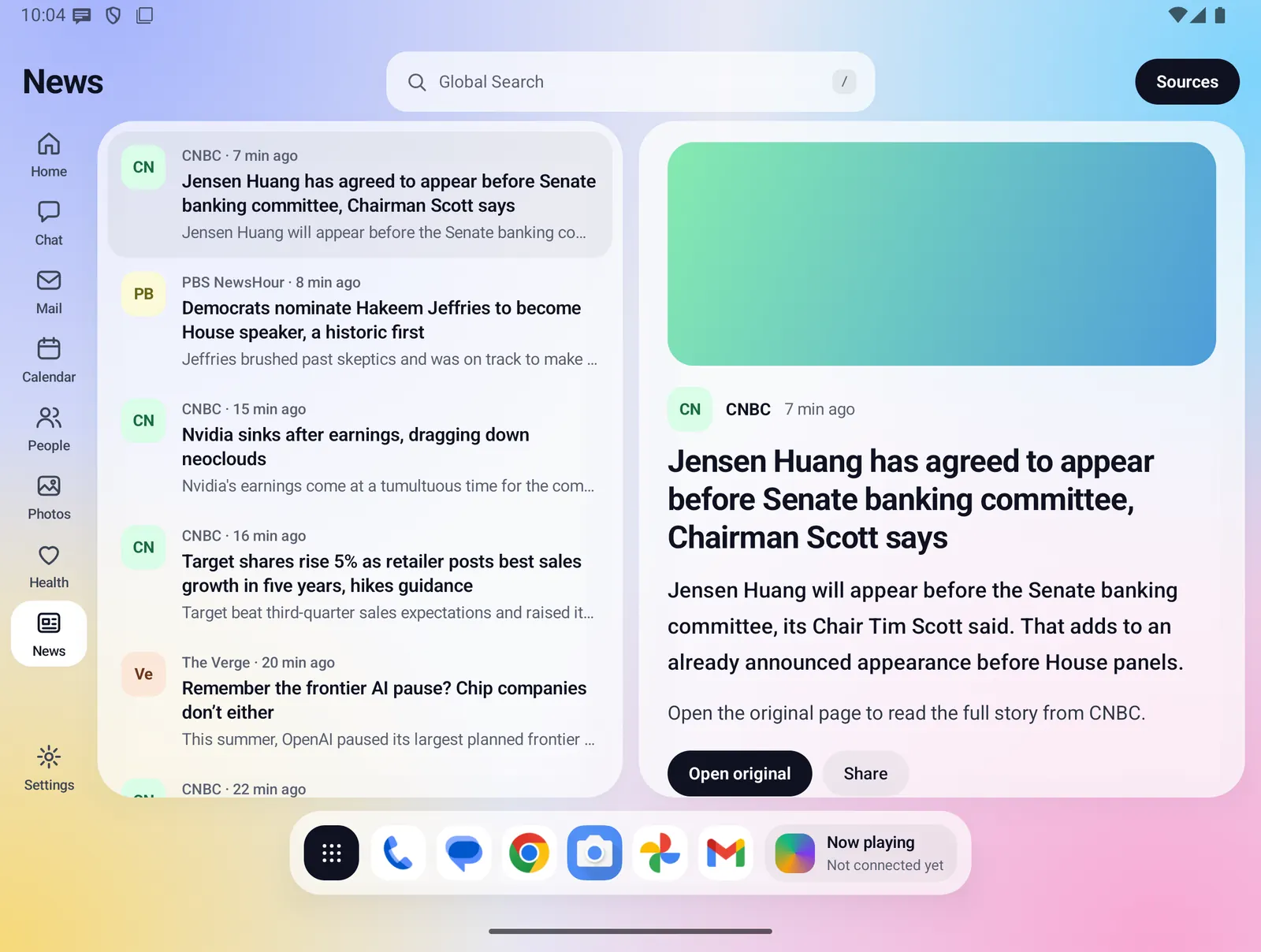
On the open screen the story list sits on the left and the reader fills the rest. The first story opens on its own, so there is always something to read.
- Each row shows a colored badge with the source's first two letters, the source name, how long ago the story was published, the headline and a one-line summary.
- The open story is highlighted in the list.
- The reader shows a picture from the feed when there is one (or a color band in the source's color), the source, the headline and the summary.
- Open original opens the full story in your browser. Share sends the headline and link through the Android share sheet.
- Stories are newest first, with one entry per link even when two feeds carry the same story.
On the closed screen
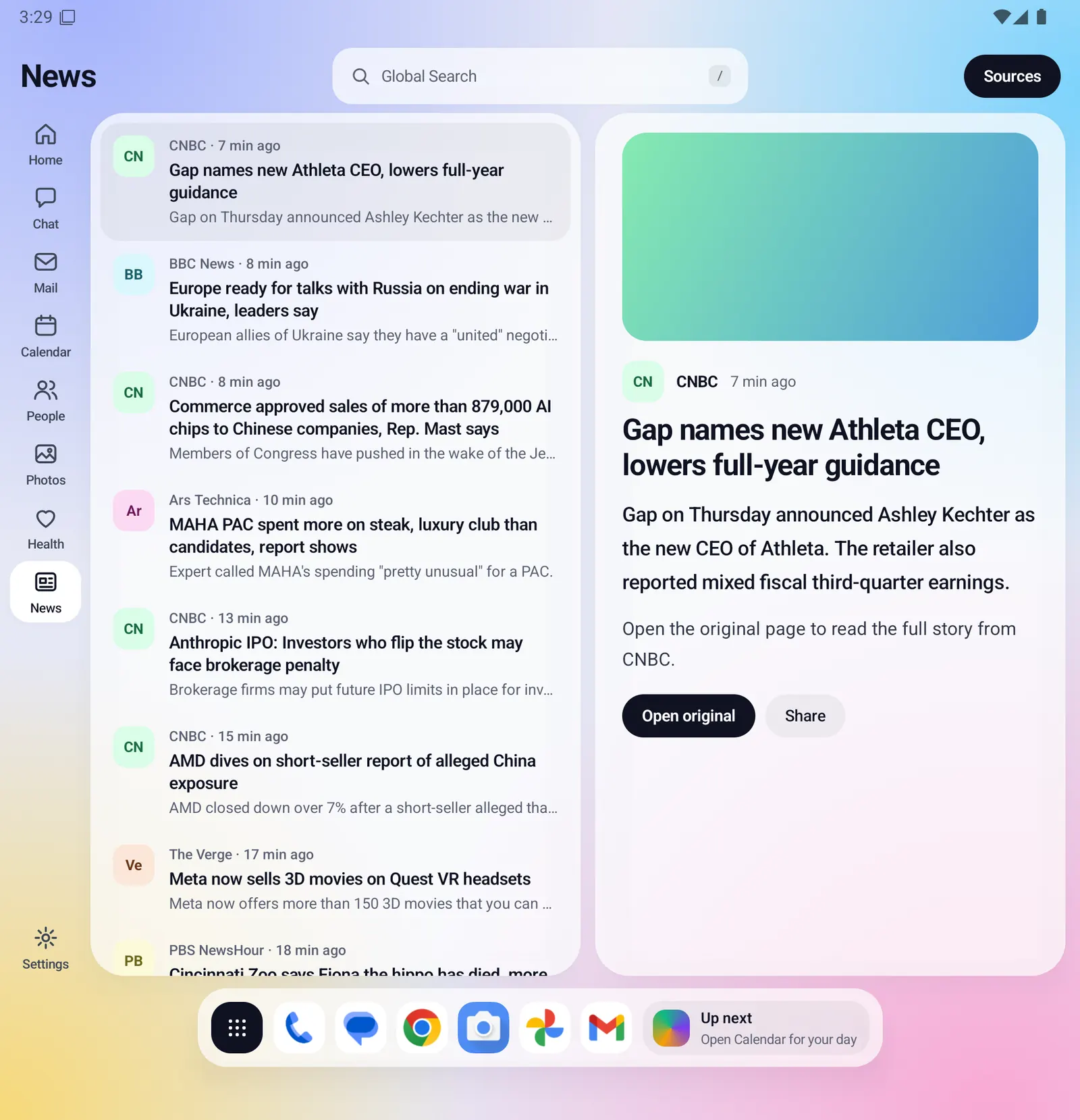
With the phone closed, News shows one pane at a time. The story list comes first. Tap a story, or Sources, to open it full screen. The back arrow returns to the list, and from the list it leaves News.
- The same sources, stories and saved stories as the open screen.
- The same Saved and Sources buttons in the header.
Everything News does
Choosing your sources
- Tap Sources to switch the reader pane to your sources. The header shows how many are chosen. Tap Done to go back to reading.
- Popular feeds lists the built-in catalog of 101 feeds across World, US, Politics, Business, Tech, Science, Sports, Culture, Games and Life. Filter it by name or topic, and tap a feed to choose it or drop it. A newly chosen feed loads its stories right away.
- Add your own: paste an RSS or Atom link and tap Add. If you paste a web page link instead, Fold X follows the feed link that the page advertises. A link that is not a feed gets a plain message, such as "That link is not a news feed."
- Your own links appear under Your links, listed first, each with a Remove button.
- Dropping a source also removes its stories from the list.
- Every link in the catalog was checked to return a working feed before it was added. Some well-known outlets have no working public feed, so they are not in the catalog, but you can still add any working link yourself.
Starter sources
- So News is not empty on day one, it starts with a short set of mainstream, free-to-read sources from more than one country and owner, with no opinion-led outlets. The current list is BBC News, NPR News, PBS NewsHour, The Verge, Ars Technica, CNBC, BBC Sport and CBS Sports.
- Before your phone has reached the internet for the first time, the starter set is BBC News, NPR News and The Verge.
- The starter sources count as chosen and can be switched off like any other. Once you change your sources, Fold X keeps exactly your choice, even if you switch everything off.
- The setup checklist's "Choose your news" item is done once you save a choice of your own.
Saved stories
- Tap Save on a story to keep it. The button changes to Saved; tap again to remove it.
- The Saved (N) button in the header switches the list to your saved stories, newest first. All stories switches back.
- Saved stories stay on the phone after the feed has moved on.
Refreshing and offline reading
- Stories refresh in the background about every 2 hours when the phone has a connection, and when you open News with stories older than 30 minutes.
- The latest stories are kept on the phone, so News opens and reads with no connection.
- Up to 40 stories per source and 300 in total are kept.
- One source that does not answer does not stop the others. You see a plain note such as "Some sources could not be reached." or "No connection. Showing saved stories."
- With nothing to show, the list tells you why: no feeds chosen ("Tap Sources to choose feeds."), still loading, or could not load, with a Try again button.
Elsewhere in Fold X
- The Home summary includes the top story and how many more arrived today. It links to News.
Limits and what is not built yet
- News shows the headline, summary and picture that the feed provides. To read the full article, tap Open original, which opens the publisher's page in your browser.
- Only RSS, RDF and Atom feeds are supported. Sites without a feed cannot be added.
- Links are always opened over HTTPS. A feed that only works over plain HTTP cannot be loaded.
- Story pictures are kept in memory only, so they load again after the app restarts.
- There is no manual refresh button on the page. Stories refresh on their own as described above, and Try again appears when loading fails.
Privacy
Your phone fetches each feed directly from the publisher, the same way a browser would, so each publisher sees a request from your phone. Stories are not sent through the Fold X server and no AI service reads them. The starter list itself comes from Fold X's signed app configuration. If you sign in to a Fold X account, your chosen sources and your own feed links are saved to the account so they come back on a new phone. If you turn on cloud backup, your sources and saved stories are included; the story cache is never sent. See Data & permissions for details.