Features / Photos and Videos
Photos and Videos
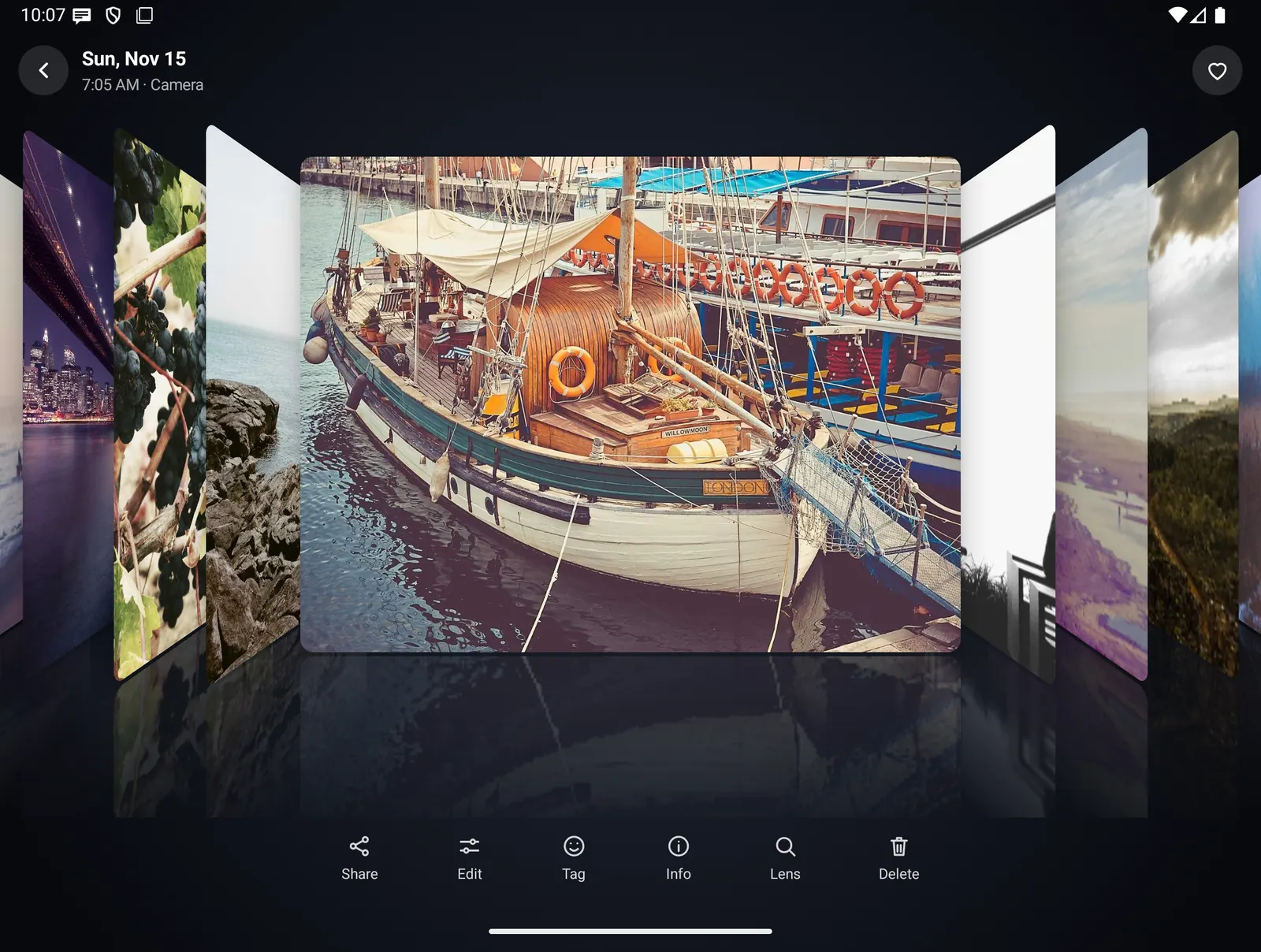
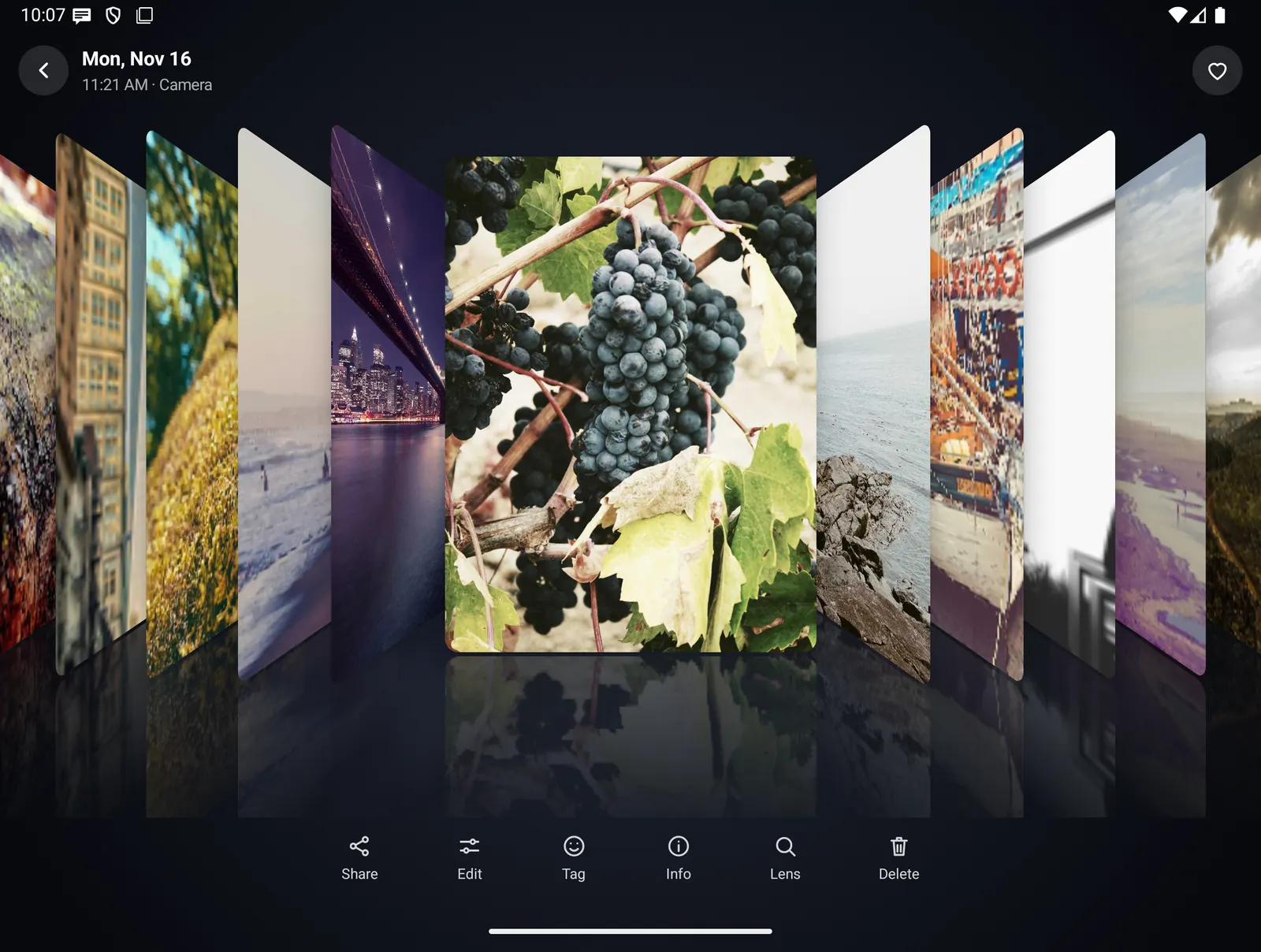
The photos and videos already on your phone, in a grid by year, month or day, with memories, albums and search by what is in a picture. Tap one and the library fans out in a 3D cover flow. Recognition, collages, photo books and captions are all made on the phone.
- Where you find it
- Open screen window and closed screen. The viewer covers the whole screen on both.
- How it works
- On your phone. Recognition uses Google ML Kit models built into the app.
- What you need
- Photos and videos access, for all of them or only those you pick. Optional: photo locations for Places, a screen lock for the Locked folder, the on-device AI model for captions.
- Your data
- Nothing is uploaded by Photos. A photo leaves the phone only when you share it or hand it to an editor or Google Lens.
Every day, month and year
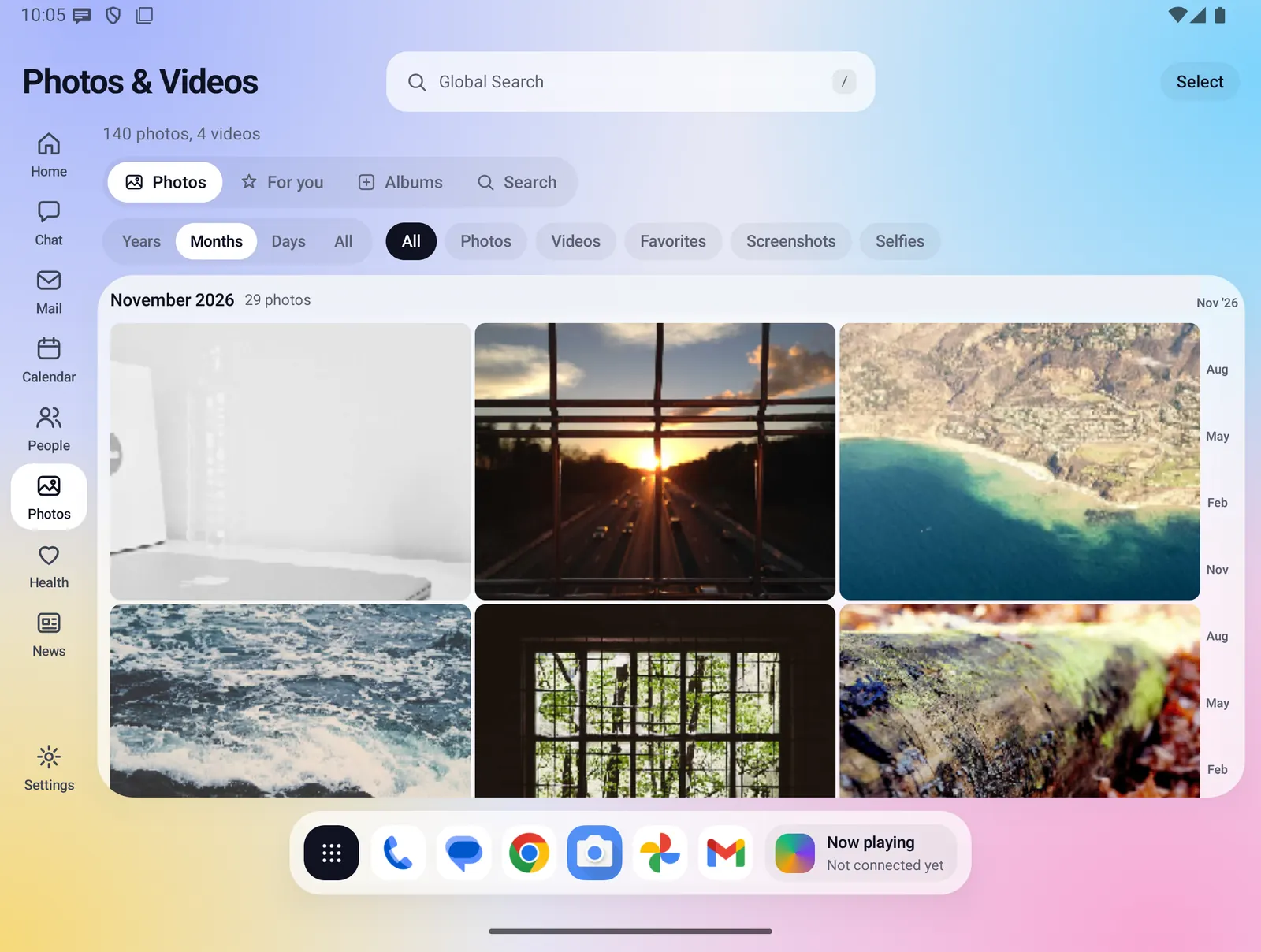
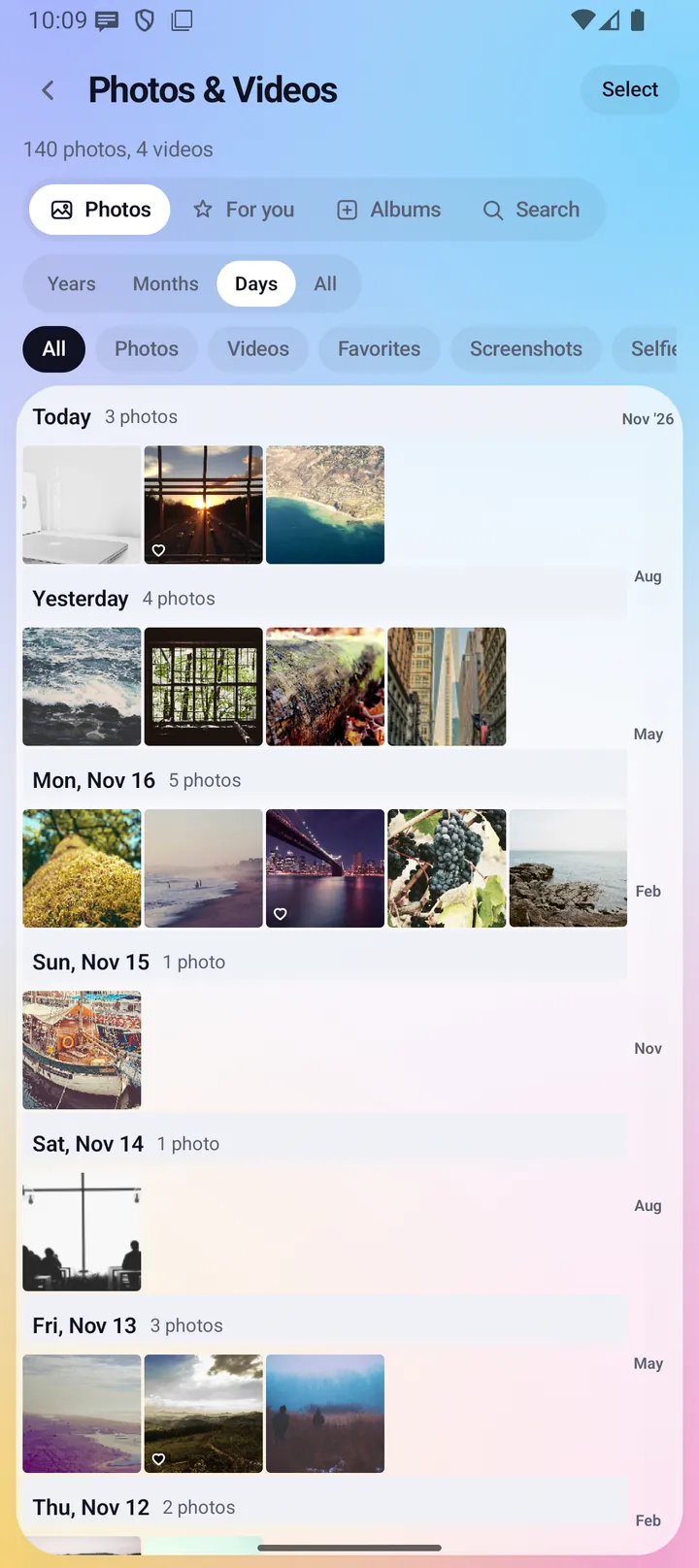
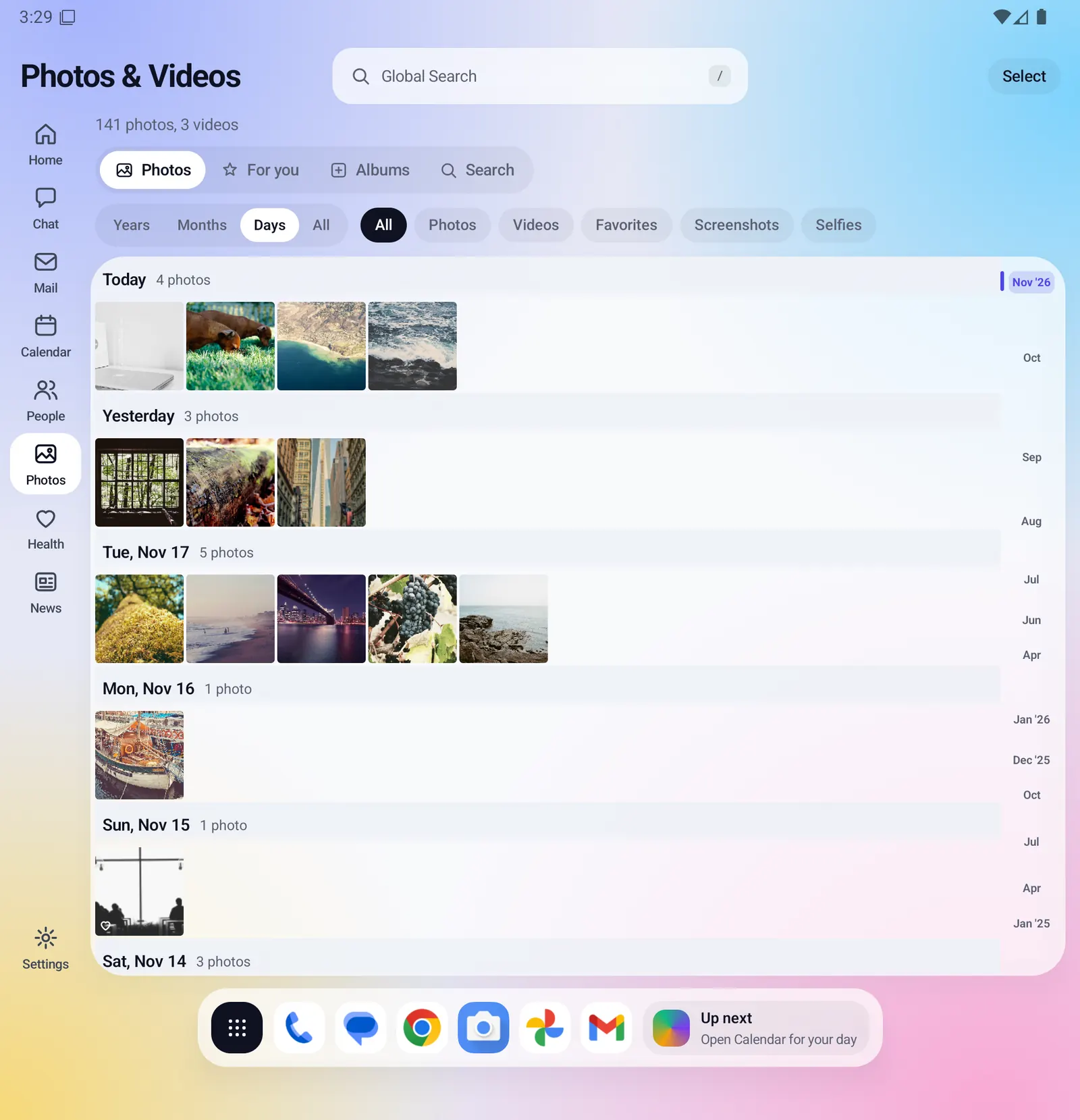
The Photos tab is one grid, newest first, with a count of photos and videos under the title.
- Zoom between Years, Months, Days and All with the chips or a two-finger pinch. Years and Months show a preview and "+N". A tap zooms in one step.
- Filter by All, Photos, Videos, Favorites, Screenshots or Selfies.
- Days have headers such as Today, Yesterday or Wed, Nov 18, with counts and the place most of the day was taken.
- A date strip at the right edge shows where you are. Tap or drag it to jump to a month.
- Videos show a play mark and length, favorites a heart.
For you
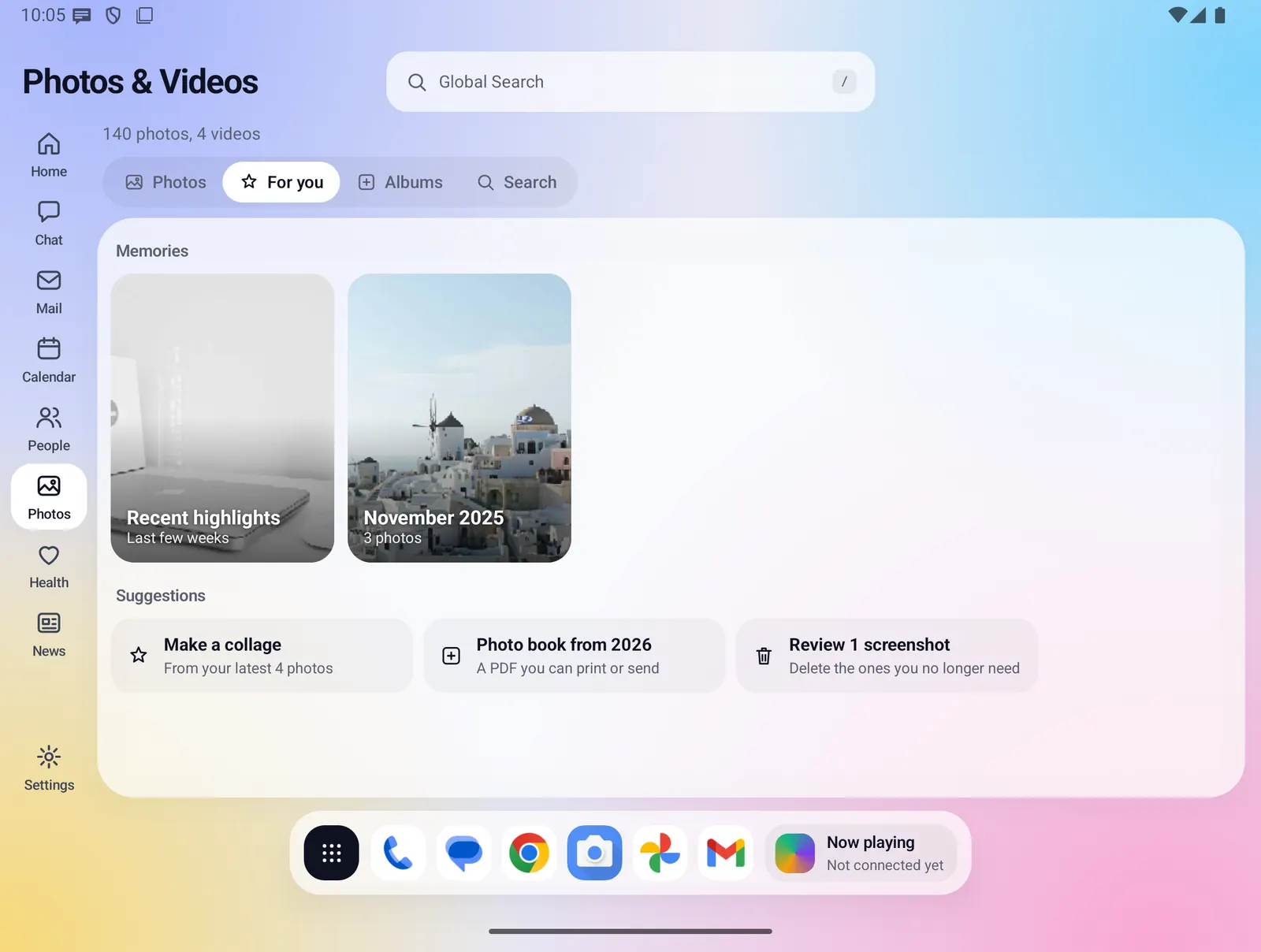
Memories and suggestions made from the real dates and places of your photos.
- Memories: Recent highlights (your 12 newest camera photos), On this day for each earlier year, this month in earlier years, and your three most photographed places. A card opens its photos.
- Make a collage from your 4 newest camera photos.
- Photo book from this year, from the newest 24 camera photos.
- Review N screenshots opens your screenshots.
- Free up appears only when Cloud backup holds your originals. It moves backed-up items to Recently deleted after Android asks you.
Albums
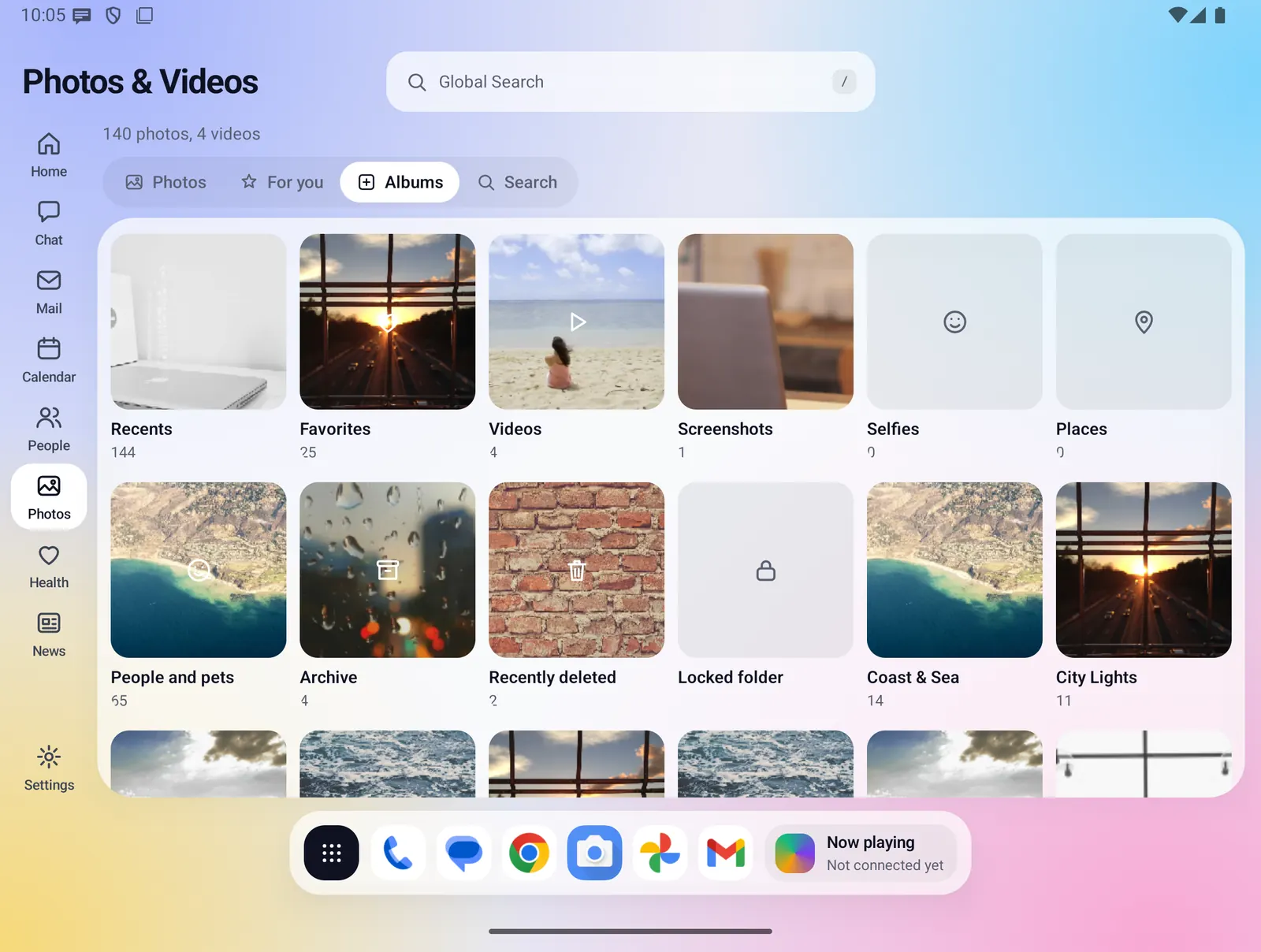
Recents, Favorites, Videos, Screenshots, Selfies, Places, People and pets, Archive, Recently deleted and the Locked folder, then your own albums and every folder on the phone, largest first.
- Recents, Favorites, Videos, Screenshots and Selfies open the Photos tab with that filter on.
- Places shows one tile per place once you allow photo locations.
- New album makes your own. Add photos with Select, then Add to album.
- Archive takes photos out of the Photos tab, search and memories without deleting them.
People and pets, and tagging
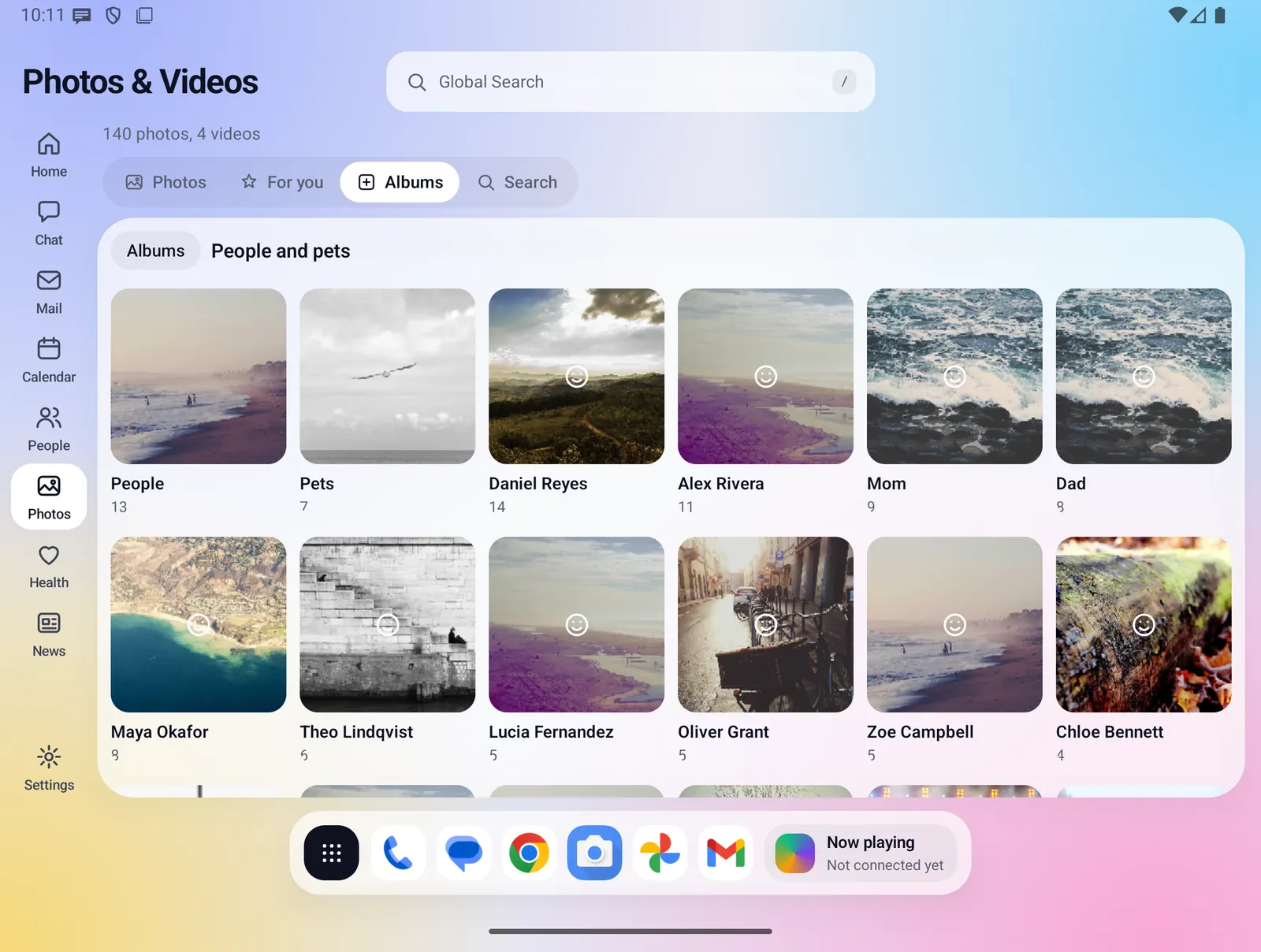
The People and pets album opens with a People tile and a Pets tile from recognition, then one tile for each contact you tagged.
- In the viewer, Tag searches your contacts. Tick one or more people.
- Tagged names show at the top of the viewer. Tap one to remove it.
- Tags are shared with People, so a contact's Attachments tab shows the photos they are in.
- Recognition can tell that a photo shows people or a pet, never who. Naming people is always your own tagging.
Search by what is in a photo
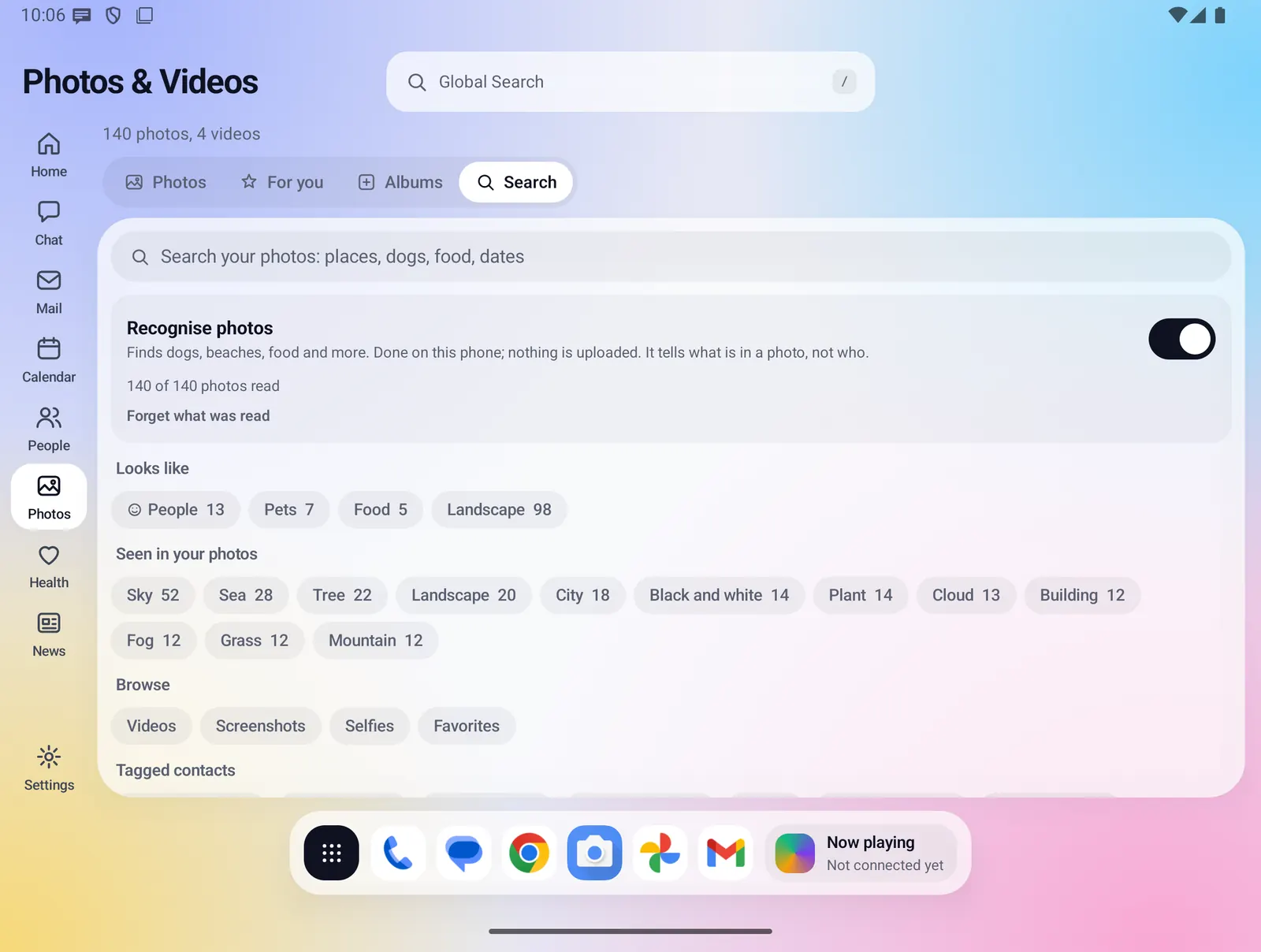
Type words such as "dog", "beach", "food", "sunset", a place, a month like "november 2026", an album, a folder or a tagged person. Every word you type has to match.
- Before you type, the Search tab shows the Recognise photos switch and how many photos have been read.
- Looks like chips (People, Pets, Food, Landscape, Documents) and Seen in your photos show real counts. A tap searches that word.
- Browse chips for kinds, tagged contacts and places.
- Forget what was read deletes what recognition found.
Cover-flow viewer and Info
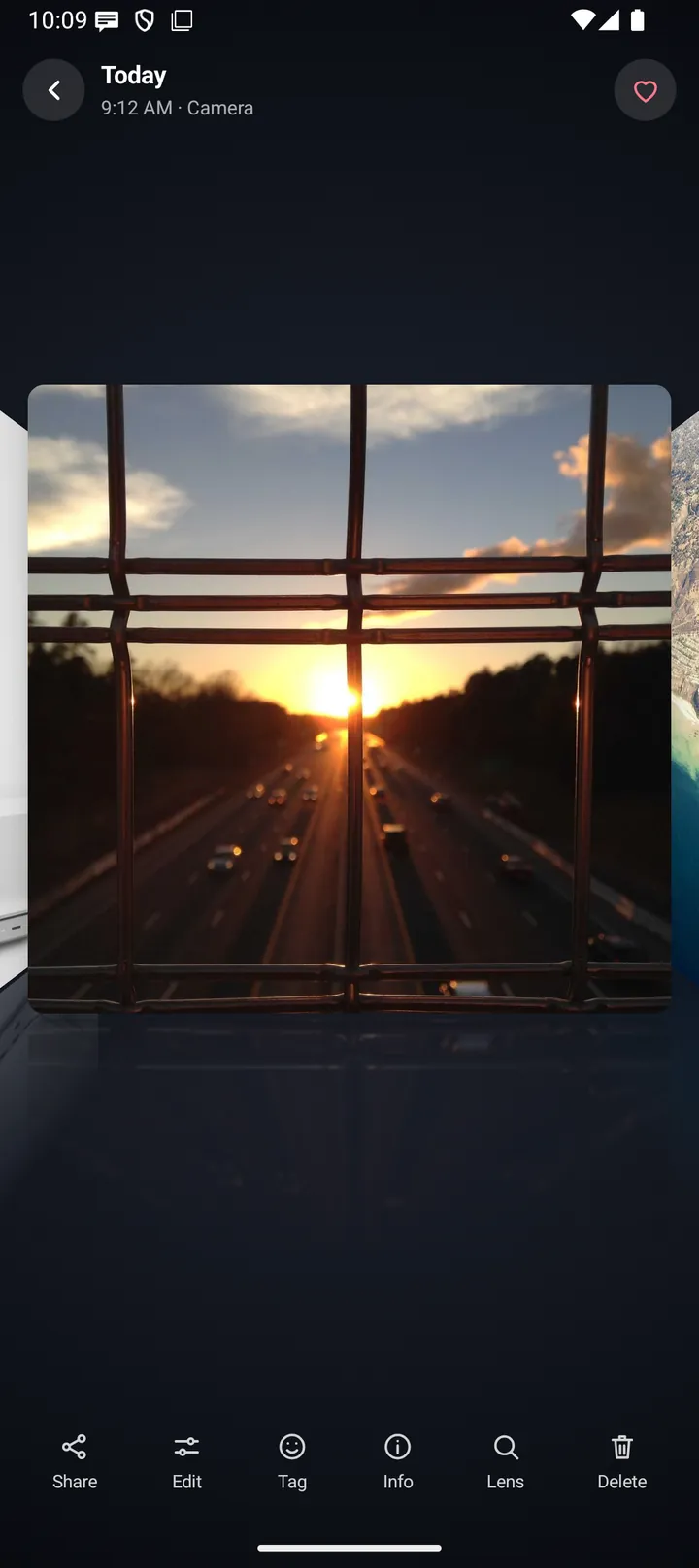
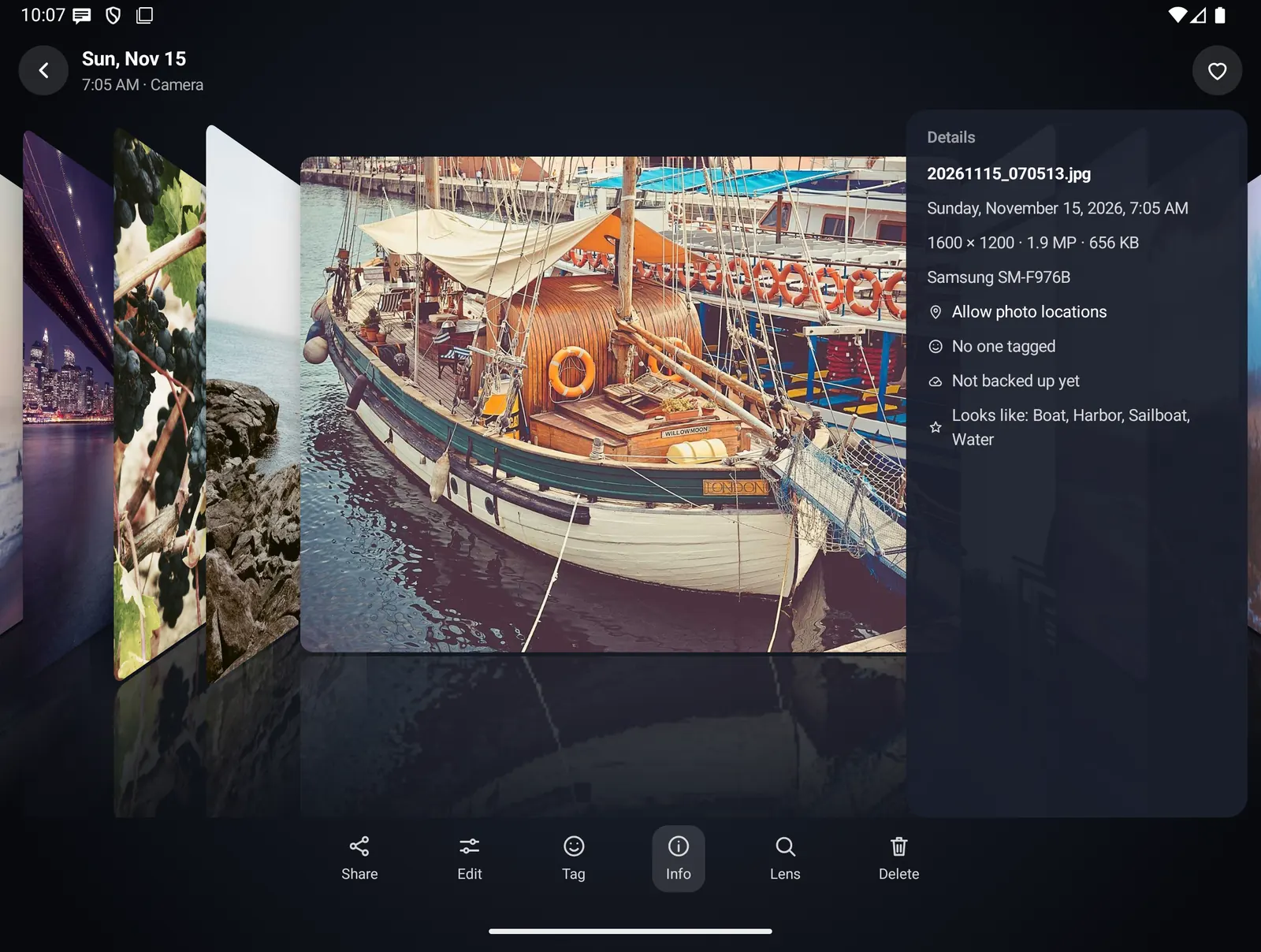
The open photo sits flat in the middle at its own shape, with the others angled on both sides. Drag or swipe to move, or tap a side photo.
- Pinch to zoom up to 5x, drag to pan, double-tap to zoom in and out.
- The top shows the day, time and place (or folder), tagged names and a favorite heart.
- The toolbar has Share, Edit, Tag, Info, Caption, Lens and Delete.
- Info shows the file name, date, size and resolution, the camera and exposure, the place, who is tagged, backup state, what it looks like and any saved caption.
- Videos play inside their card with play and pause, progress, length and a sound button.
Some screenshots were taken before the Caption button was added to the viewer's toolbar.
Everything Photos and Videos does
Grid and selection
- Photos are read from your phone's media library, newest first, and refresh when something changes.
- Pinch out for bigger tiles and fewer details, toward Years. Pinch in for smaller tiles, toward All. One finger still scrolls.
- The date strip is shown on Days and Months. It names each month, adds the year where it changes, and highlights the month you are in. While you drag, a bubble names the month in full.
- Tap Select or long-press a photo. Tick photos or a whole day, then Share, Favorite, Add to album, Delete, Collage or Photo book. Select works in every grid: albums, search results and memories.
- A "Backed up" pill shows when Cloud backup holds your photos, or "4 of 9 backed up" for part.
Viewer
- The photos beside the open one come from the list you opened it from: a filter, an album, a search or a memory.
- Share uses Android's share sheet, for one photo or a selection.
- Edit hands the photo to your phone's editor app. Fold X has no editor of its own.
- Lens sends the photo to the Google app or Google Lens. It is dimmed for videos and when neither is installed.
- Favorite uses Android's own favorite, shared with your other gallery apps. If Android cannot do it, Fold X keeps its own list.
Albums and places
- Your own albums, Archive and the Locked folder are lists kept by Fold X. The files stay where they are. Delete album removes the list, not the photos.
- Inside one of these lists, Remove takes photos out.
- Places needs photo locations, which Fold X asks for only from Places, Info or a place search. Positions about a kilometer apart share one name. A place with no name yet shows its coordinates.
Recognition
- Google ML Kit's image labeling and face detection models are built into the app. Nothing is downloaded and nothing is uploaded.
- Each photo is read once, from a small thumbnail, while Photos is open. It keeps the labels the model is at least 60% sure of, up to 8, and whether a face was found.
- Reading runs in the background in small batches, newest first, and carries on next time. It pauses while battery saver is on.
- Words have synonyms, so "food" also finds meals and "pet" finds dogs and cats.
- Turning Recognise photos off stops reading and hides subject search, the chips and the People and Pets tiles. It is on by default.
Collage
- Pick 2 to 9 photos. Layouts: Grid, 2-up, 3-up, 4-up, Mosaic and Strips, offered for the number you picked.
- Spacing: None, Small, Medium or Large. Background: white, black, cream, grey, indigo or rose.
- Photos are cropped to fill their space, never stretched. Videos are left out.
- The collage is saved as a JPEG, up to 4096 pixels on the long side, in Pictures/Fold-X, so it also appears in your grid. Then you can share it.
Photo book
- Start from Select, from an album, place, memory or day, or from the For you suggestion. A book holds up to 200 photos.
- The cover has an editable title and date line, the photo count and the first photo.
- Choose 1, 2 or 4 photos per A4 page. Photos run oldest first, each with its date and place, and pages are numbered.
- The PDF is saved in Documents/Fold-X, then you can open or share it.
Captions
- Caption in the viewer asks the on-device AI model for one plain sentence about the photo. The sentence appears as it is written.
- Stop keeps what was written, Try again asks again, and Save keeps it. Nothing is saved until you tap Save.
- A saved caption shows in Info and is found by search. Remove caption deletes it. Forget what was read keeps your captions.
- It runs only when you tap it, one photo at a time.
- Caption is unavailable, with a reason, when no model is installed, when the phone cannot run it, when Photos tags is off in Settings, On-device AI, and for videos.
Recently deleted
- Delete moves photos to Android's own trash after Android asks you. They are kept for 30 days.
- The Recently deleted album lists them. The viewer shows the days left, with Restore and Delete forever.
- One request handles up to 500 items.
Locked folder
- The Locked folder opens only after you confirm your phone's screen lock, and locks again when you leave it.
- Its photos are hidden everywhere else in Fold X, and its tile shows no cover or count.
- Deleting inside it deletes for good.
- With no screen lock set, a card offers Open security settings.
Limits and what is not built yet
- The Locked folder and Archive do not move or encrypt files. Other gallery apps on your phone can still show them.
- No face grouping. Recognition knows that a person or pet is in a photo, not who.
- Recognition knows common things only, gives English labels whatever your phone's language, and can guess wrong. It does not read the text in photos.
- Places is a row of tiles. There is no map.
- Screenshots and selfies are found by folder and file name. Selfies taken with the normal camera app are usually not found.
- No ordering or printing service for photo books. The PDF is yours to print or send.
- Captions are not written automatically or in batches, not for videos, and cannot be edited by hand. Ask again to replace one. They need the on-device AI model and a phone with enough memory. Their speed and quality on phones have not been measured yet.
- Some phones show an app only its own items in the trash, so Recently deleted may not list everything.
- With access to only some photos, Photos shows those and a Choose photos button to pick more.
Privacy
Photos reads the media already on your phone and uploads nothing. Recognition, collages, photo books and captions are made on the phone. What recognition found, and your captions, are kept in Fold X's own storage on the phone and are part of Android's device backup. A photo leaves the phone only when you share it, hand it to your editor app or to Google Lens. Once you allow photo locations, Android's geocoder is given photo positions to name the places. Delete, restore and favorite go through Android, which asks you first. Data & permissions